Need help?
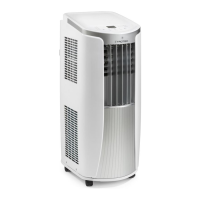
Do you have a question about the Trotec PAC 2300 X and is the answer not in the manual?
Explains warning symbols and icons used in the manual for safety and operational guidance.
Outlines manufacturer's responsibility, warranty limitations, and conditions that void the warranty.
Critical safety instructions to prevent electric shock, fire, or injury, and safe appliance usage.
Instructions for safe setup, operation, and handling, including environmental and user restrictions.
Warns about dangers from untrained use, electrical components, and emergency procedures.
Emphasizes the device is not a toy, packaging safety, and the necessity of the air filter.
Explains the device's purpose, cooling, filtering, dehumidifying functions, and operation modes.
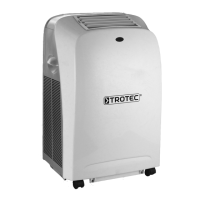
Illustrates the device with labeled parts and provides a list of components.
Instructions for safely moving the device, including draining condensate and a required resting period.
Specifies ideal storage conditions and advises removing remote batteries for long-term storage.
Lists all items included in the delivery and guides on how to unpack the device safely.
Details initial setup steps, including positioning, checking cables, and ensuring stable placement.
Instructs on inserting the air filter correctly and checking the device before initial start-up.
Explains how to connect the exhaust air hose for discharging warm air outside, via window or wall.
Guides on installing an optional window insert for effective exhaust air venting with details on seals and extension.
Provides instructions for connecting the exhaust hose to a wall duct for permanent installation.
Details on opening ventilation flaps and connecting the device to the mains power socket.
Identifies and explains the function of buttons and displays on the device's control panel.
Step-by-step guide to power on and off the air conditioner, including auto-off for full tank.
Explains how to select and configure cooling, ventilation, and dehumidification modes with fan speed.
Instructions for connecting a drain hose for continuous removal of condensate to a drain or container.
Details on using the device for air circulation without cooling or dehumidification and fan speed adjustment.
How to switch the temperature display between Celsius and Fahrenheit using device or remote.
Lists and explains the various buttons, indicators, and their functions on the remote control.
Information on how the remote control enters standby mode and how communication is displayed.
How to program the device to turn on automatically after a set time interval.
How to program the device to turn off automatically after a set time interval.
How to set automatic operation and activate night mode for energy saving and quiet use.
How to control LED lights and save/recall preferred settings using the remote control.
Explains power failure memory and how the device conserves energy by optimizing compressor/fan use.
Describes the automatic defrost cycle and provides steps for safely shutting down the device.
Guides on diagnosing and resolving problems like the device not starting or having reduced cooling.
Helps diagnose reduced cooling, high noise levels, vibrations, and leaks.
Troubleshooting remote control response issues and understanding device error codes.
Outlines recommended maintenance tasks and their frequency for optimal performance and longevity.
A log for recording performed maintenance tasks, dates, and signatures for record-keeping.
Essential safety steps, including disconnecting power and handling electrical components carefully.
Instructions for cleaning the exterior and visually inspecting the interior for dirt buildup.
Step-by-step instructions on how to remove, clean, and reinsert the air filter for proper operation.
How to manually drain accumulated condensate from the device to prevent shutoff and error codes.
Notes that the refrigerant circuit is maintenance-free and requires specialist repair only.
Actions required after maintenance, including resting the device before reuse or storage.
Lists detailed technical specifications of the air conditioner, including capacity, dimensions, and operating ranges.
A schematic diagram showing the electrical connections and component layout of the device.
Provides a visual guide and list to identify and order replacement parts for the device.
Guidelines on how to dispose of the equipment, batteries, and refrigerants responsibly according to regulations.
 General
| Type | Portable Air Conditioner |
|---|---|
| Energy Efficiency Class | A |
| Air Flow Rate | 320 m³/h |
| Noise Level | 65 dB(A) |
| Refrigerant | R290 |
| Cooling Capacity | 2300 W |
| Suitable for Rooms up to | 75 m³ |
| Power Consumption (Cooling) | 900 W |
| Operating Temperature (Cooling) | 16 - 35 °C |

 To Next Page