TROTTER MAGWheel Safety First! Instructions For Proper Use And Care Safety First! Instructions For Proper Use And Care
VII. Side tilt Protection
When the
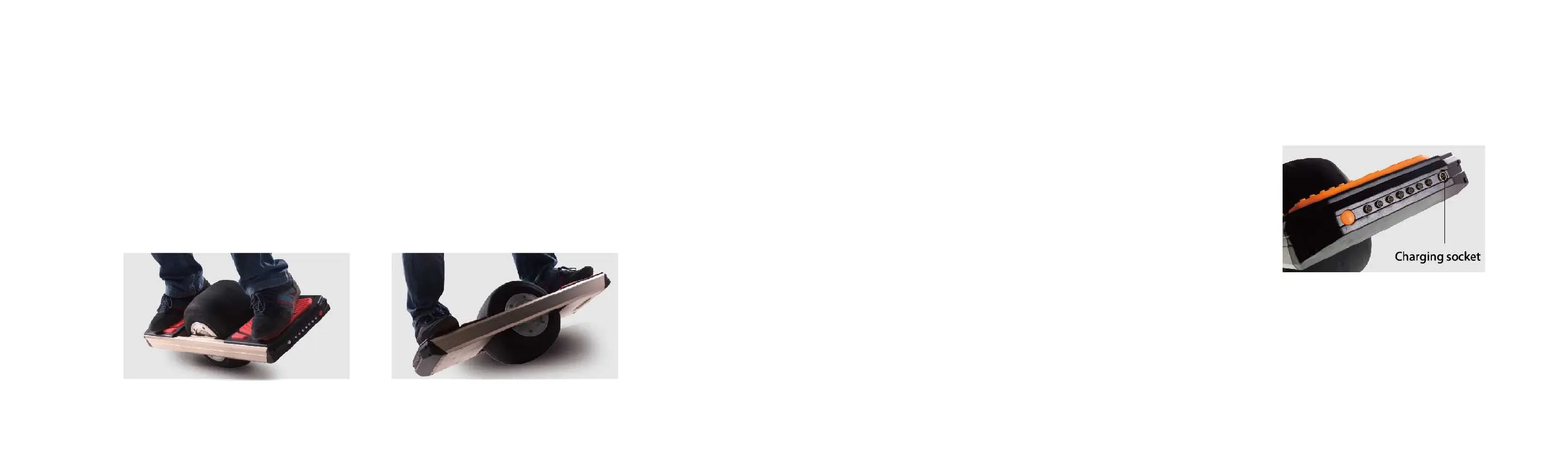
board tilts sideways exceeding 45° (for example, if the MAGWheel tumbles down), the control system will start the side tilt
: The motor will stop running immediately to prevent damage to people, property and the board itself caused by the high-
e motor. After starting the side tilt protection, the buzzer goes off continuously until the board is righted, or the
power supply will automatically turn off 10s after giving an alarm.
Keep the Trotter in an upright position to release the tilt p
rotection mode. Turn the power on in case the power is turned off and start
VIII. Charging
Do not keep the
Trotter under the sun or temperature above 40-degrees C while
charging. Do not charge when the Trotter is wet.
Trotter MAGWheel is equipped with a high-power charger. Normally,
e charging from 10%-100% takes about 120 minutes for the standard
/5.2 ah battery. The upgraded 10.5ah battery may take 4-5 hours to fully
To help maintain battery range and life, it is recommended to charge fully
before riding, and not to drain the battery below 10%
your MAGWheel stops working when it was been struck violently - don't
. This is the board’s protection system at work. For safety reasons, turn off
board for 10 minutes, then charge it for 1 minute
. This should reset the feature.
If not, you may also reset the gyro by holding the board
horizontally and pressing
the power button for 15 seconds.
When the indicator on the charger is red, it
indicates that it is
charging
When the indicator on the charger is green, it
indicates that charging has completed
and it is
cell balancing mode. This helps maintain the
, and it is recommended to
-72 hours straight once a month or so.
Note: Even with heavy carving and spinning, the board does not tilt over 45, and there is no danger of accidental shutoff.



 To Next Page