AIS-CTRX CARBON Class B AIS Transponder Manual
1.1E 35 CTRX CARBON Manual
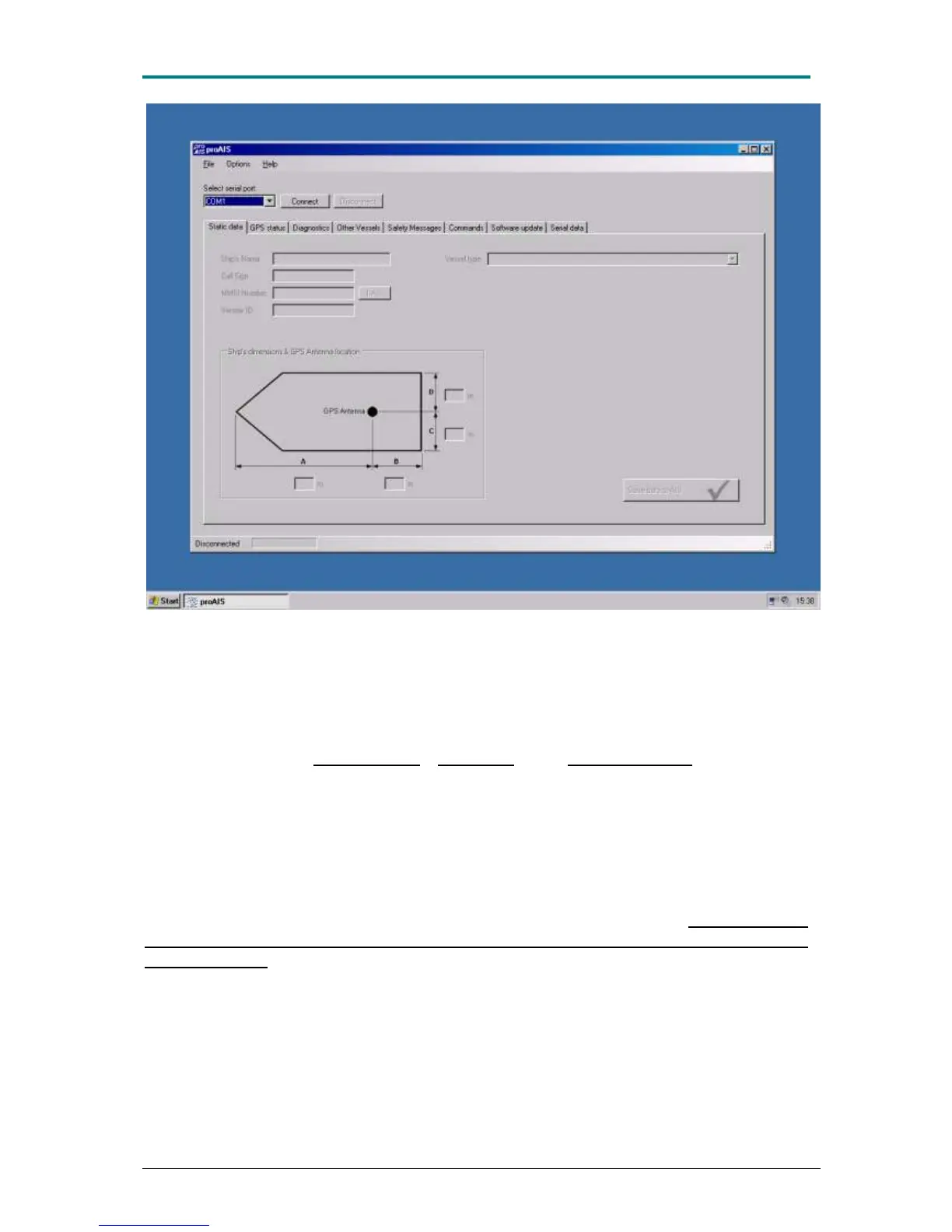
Figure 15 Connection of PC to AIS-CTRX CARBON takes place via choice of the correct port. Select
serial port] and then by connecting itself to the transponder [Connect].
AIS-CTRX CARBON is connected to proAIS when all static data are presented in the
‖Static data‖ field. If these field are empty, the transponder must be programmed at
an authorised dealer using a special program. The menu looks the same but makes it
possible to program ‖Ship’s Name‖ ‖Call Sign‖ and ‖MMSI Number‖ which cannot
be done by the end user. Placement of the GPS antenna on board is subject to
change and ‖Vessel type‖, the type of ship the transponder has been placed on
board, can be set in the drop down menu. For all types of leisure craft, we
recommend that one chooses the type ‖37 = Vessel -Pleasure craft‖. Furthermore,
the placement of the GPS antenna on board shall be indicated from fore to aft and
from port to starboard in the field ‖Ship’s dimension & GPS Antenna location‖. If
any changes are made, or when programming data into the transponder for the first
time, data is stored first after selecting the icon ‖Save data to AIS‖ Note that AIS-
CTRX CARBON can only be programmed once with static data (MMSI, Name
and call sign). If the transponder has been programmed with incorrect data True
Heading must be contacted. Before data is stored one is prompted if one is sure that
all data is correct before proceeding. This is the last chance to correct any errors, so
make absolutely sure that MMSI, Name and Call sign are correctly entered in their
respective fields.


 To Next Page
 Loading...