CHAPTER 2: ASSEMBLY INSTRUCTIONS
BIKE ASSEMBLY STEPS (continued):
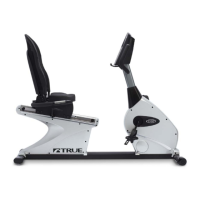
Power Supply Installation:
*These installation steps are only required if this unit is paired with a touchscreen console or a 15”TFT console.
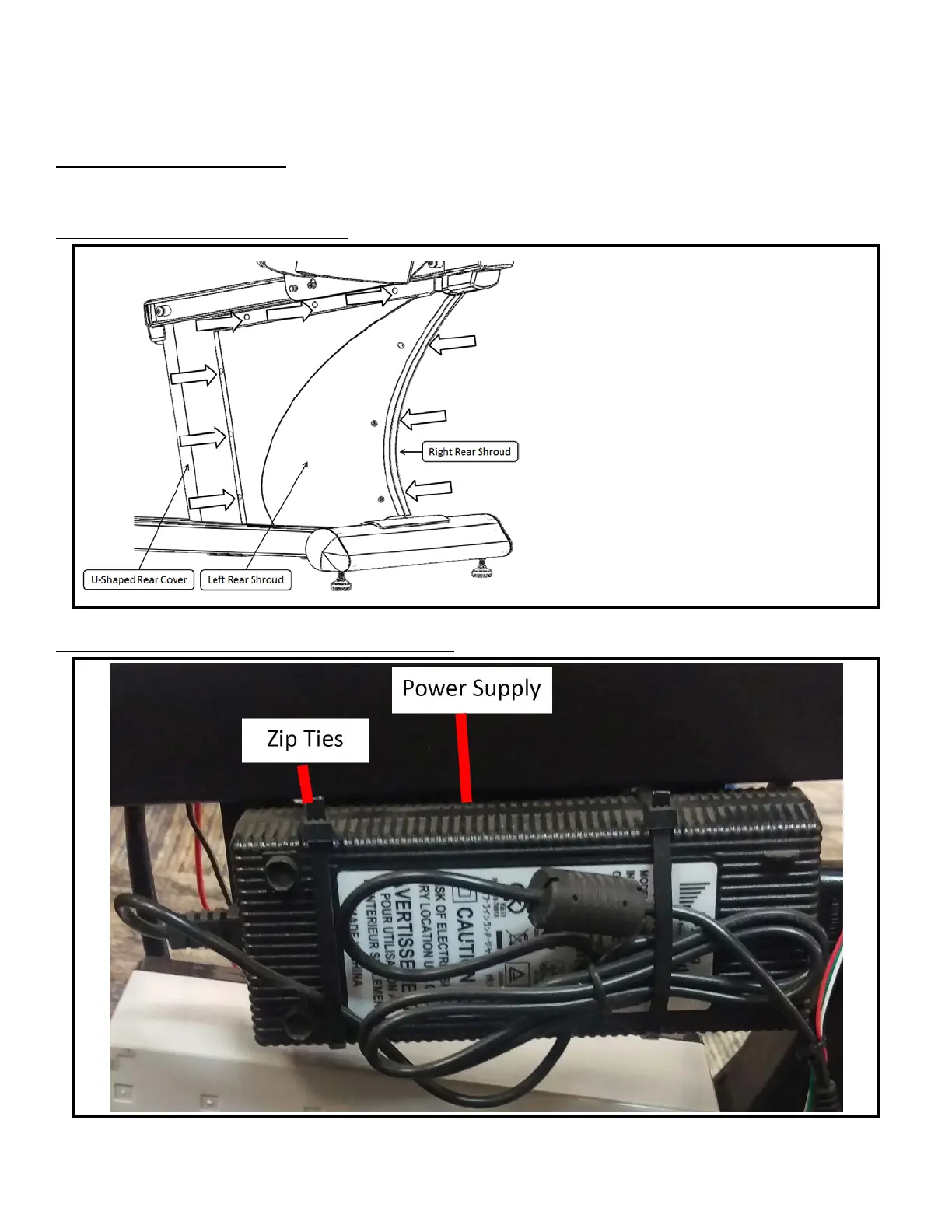
Step A Remove Left Rear Shroud:
• Unscrew quantity 9 screws from the Left
Rear Shroud, using a Phillips head
screwdriver (not provided)
• Left Rear Shroud will now separate from
the Right Rear Shroud and U-Shaped Rear
Cover
• Remove the Left Rear Shroud from the
Frame, to expose the internal Power
Supply mounting location
Step B Mount and Ziptie Power Supply:
Truefitness.com / 800.426.6570 / 636.272.7100 20


 To Next Page