GET ACQUAINTED
WITH APOGEE
11
“HEY APOGEE” VOICE COMMAND system can be enabled or
disabled inside the ACC. This proprietary voice command system has
been designed to help increase the speed and convenience of your indoor
golf round. The system is activated upon hearing “HEY APOGEE.”
APOGEE LASER INDICATOR can be enabled or disabled inside the ACC.
This visual aid shows users appropriate places to tee the ball for the most
accurate readings.
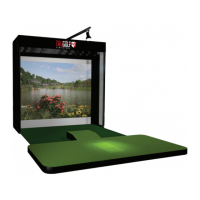
TEE BOX is the acceptable hitting area where users can place
the ball - Tee Box measures 10” W x 8” D.
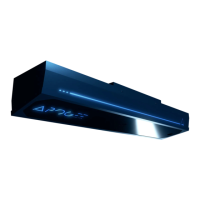
SYSTEM STATUS INDICATOR (SSI) - This is the LED Indicator located
on the front of the APOGEE Launch Monitor.
• Blue – Unit is Operational
• Yellow – Calibration in Progress
• Red – User should launch APOGEE Control Center
to check STATUS AND SUPPORT for diagnosis
SYSTEM CONNECTION INDICATOR (SCI) – This is the LED Indicator inside
the APOGEE Text on the face plate of the APOGEE Launch Monitor.
• Orange – System Booting
• Yellow – Searching for Connection
• White – Connected to APOGEE Control Center
• Purple – Calibration in Progress
• Blue – Connected to E6 CONNECT
• Red – Issue Found. Users should launch APOGEE Control
Center to check STATUS AND SUPPORT for diagnosis


 To Next Page