
 Need help?
Do you have a question about the TruHearing TH Premium and is the answer not in the manual?
Describes the BTE (Behind-The-Ear) models and their wireless/Bluetooth features.
Guides users to familiarize themselves with the hearing instrument controls.
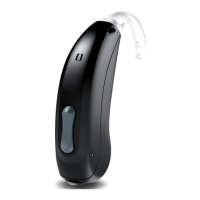
Identifies the parts of the TH Premium/Advanced STD BTE 19 model.
Identifies the parts of TH Premium Power BTE 19 and TH Advanced Power BTE19 models.
Explains the functions and operation of the rocker switch on the hearing instruments.
Lists and explains the different hearing programs available for the instruments.
Details specific features like power-on delay, tinnitus therapy, and telecoil.
Provides information on battery size (13) and general handling recommendations.
Guides users on how to safely remove and insert hearing aid batteries.
Explains methods for powering the hearing instruments on and off via battery compartment or rocker switch.
Provides step-by-step instructions and safety precautions for wearing and removing the instruments.
Details how to manually adjust the volume using the rocker switch or app.
Explains how to switch between different hearing programs using the rocker switch.
Mentions optional adjustments like tinnitus therapy signal level via controls.
Advises on optimal positioning for phone calls and mentions a telephone program.
Explains the "Made for iPhone" capability for calls and music streaming.
Describes how to activate airplane mode to disable Bluetooth temporarily.
Explains using audio induction loops for enhanced listening in specific environments.
Covers drying, storage, and daily cleaning procedures for the hearing instruments.
Instructions for cleaning and exchanging ear pieces, earhooks, and tubes.
Information on professional cleaning and maintenance services by a Hearing Care Professional.
Directs users to the safety manual for comprehensive safety details.
Mentions available accessories like the myControl App and remote control.
Explains the meaning of warning symbols used in the user guide.
Provides solutions for common problems like weak sound or whistling sounds.
Lists certification information (HVIN, FCC ID, IC) for USA and Canada.
Provides space for serial numbers, service dates, and warranty details.
 General
| Category | Hearing Aid |
|---|---|
| Manufacturer | TruHearing |
| Model | TH Premium |
| Technology Level | Premium |
| Channels | 20 |
| Gain | Up to 70 dB |
| Battery Life | Up to 7 days |
| Bluetooth Compatibility | Yes |
| Water Resistance | IP68 |
| Noise Reduction | Advanced |
| Feedback Cancellation | Yes |
| Directional Microphones | Yes |
| Tinnitus Masking | Yes |
| Warranty | 3 years |
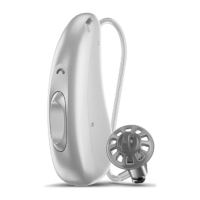
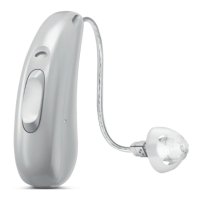
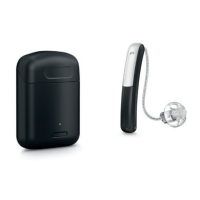
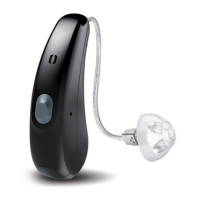
| Type | Behind-the-ear (BTE), Receiver-in-canal (RIC) |



 To Next Page