7
5
1
2
3
4 6 8
7
W
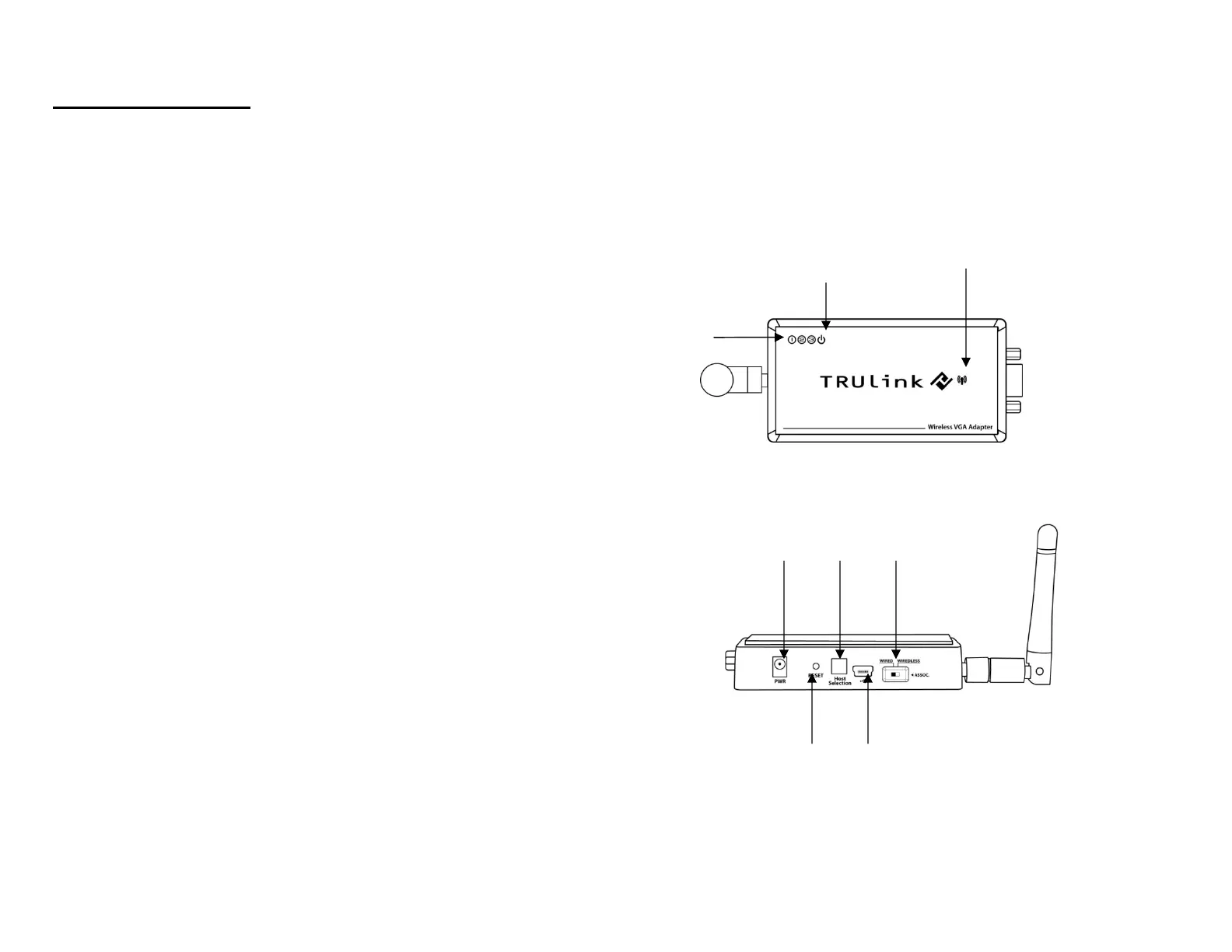
IRELESS VGA DEVICE ADAPTER
1. VGA : VGA Activity Indicator
• LED is solid when display cable is connected.
• LED is blinking when data is being transferred.
2. PWR: Power Indicator
• LED is solid when power is applied.
3. 1-2-3: Status Indicator
• Illuminated number/s indicates the Wireless USB host
adapter that is currently synced with the Wireless VGA
Device Adapter
4. PWR plug
• Power adapter socket
5. RESET
• Association history can be erased by pressing and
holding this button for 10 seconds.
6. HOST
• This button is used to select a different Wireless
USB host adapter.
7. USB connector
• In wireless mode, this connector is used for cable association
• In wired mode, this connector is used for wired operation
8. WIRELESS/WIRED switch
• Choose from wired or wireless mode by using this switch.
DEVICE OVERVIEW



 To Next Page