4
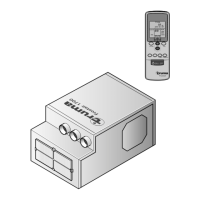
Remote control
The symbols in the display are visible depending on the
settings.
Fig. 1
Sleep function
Ultra-quiet fan operation by
reducing the speed of both fans
* Ambient lighting
The lighting is dimmed by pressing
and holding down the button.
Pressing it again deactivates
or activates the lighting.
Mode
Mode selection button
– Cooling
– Automatic
– Circulated air
Temperature selection buttons
16 – 31 °C
In 1 °C steps
On / O switch
Reset
Resets the remote control
to the factory settings.
Fan level
– low
– medium
– high
Resend
Retransmit data
Time selection
button
Time setting
Setting for clock time
and timer
Timer selection button
Switch-on / switch-o time
can be set up to 24 hours in advance








 To Next Page
