13
Connection combinations
Combi-
nation
TIN1 TIN2 Simultaneous operation Automatic air
conditioning
system
Time
switch of
the App
1 • CP plus
• Combi
– – No Yes
2 • CP plus
• Combi
• Air condi-
tioning
– Operation of the air conditioning system and heater
are mutually exclusive. Activating the automatic air
conditioning system deactivates individual operation
of the heater and air conditioning system.
Yes Yes
3 • CP plus
• Air condi-
tioning
– – No Yes
4 • CP plus
• Combi
• Air conditioning Operation of the air conditioning system and heater
are mutually exclusive.
No Yes
5 • CP plus
• Combi
• Air conditioning 1
• Air conditioning 2
Operation of one or more different air conditioning
systems and the heater is mutually exclusive. Two air
conditioning systems can be operated simultaneously.
No Yes
6 – • Air conditioning – No No
7 – • Air conditioning 1
• Air conditioning 2
It is possible to operate one or more different
air-conditioning systems simultaneously.
No No
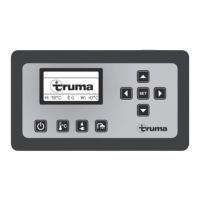
CP plus = Truma CPplus control panel, software version C3.00.00 or higher
Combi = Combi Gas (E) / Diesel (E) heater
Air conditioning 1 / Air conditioning 2 = must be different appliance variants. No more than two air conditioning systems possible
TIN-capable Truma air conditioning systems
Aventa eco / Aventa comfort* air conditioning system
Saphir compact (SN ≥ 23091001) / Saphir comfort RC air conditioning system
* combined with CP plus from SN ≥ 24084022 is possible



 To Next Page