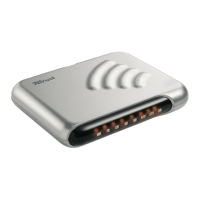
Trust 56K V92 External Modem
1
UK
Table of contents
1. Introduction ..................................................................................................................................... 2
1.1 V92 standard............................................................................................................................. 2
1.2 Convention used in the manual.............................................................................................. 2
1.3 Package contents..................................................................................................................... 3
1.4 Minimum system requirements .............................................................................................. 3
2. Safety................................................................................................................................................ 4
2.1 General ...................................................................................................................................... 4
2.2 Modems..................................................................................................................................... 4
3. Installation ....................................................................................................................................... 4
3.1 Hardware installation ............................................................................................................... 4
3.2 Installation in Windows 95, 98, Me, 2000 and XP .................................................................. 4
3.3 Installation in Windows NT4 ................................................................................................... 5
3.4 Software installation ................................................................................................................ 5
4. Usage................................................................................................................................................ 7
4.1 LED Indicators .......................................................................................................................... 7
4.2 Testing the modem .................................................................................................................. 7
4.3 Internet and e-mail ................................................................................................................... 7
4.4 SuperVoice 2.2j......................................................................................................................... 8
5. Maintenance .................................................................................................................................... 9
6. Conditions for 56K connection...................................................................................................... 9
7. Troubleshooting............................................................................................................................ 10
8. Trust Customer Care Centres ...................................................................................................... 12


 To Next Page