Trust 56K V92 External Modem
6
Note: The SuperVoice install procedure only comes in English; the program, manual and the help
function will come in the selected language after the installation.
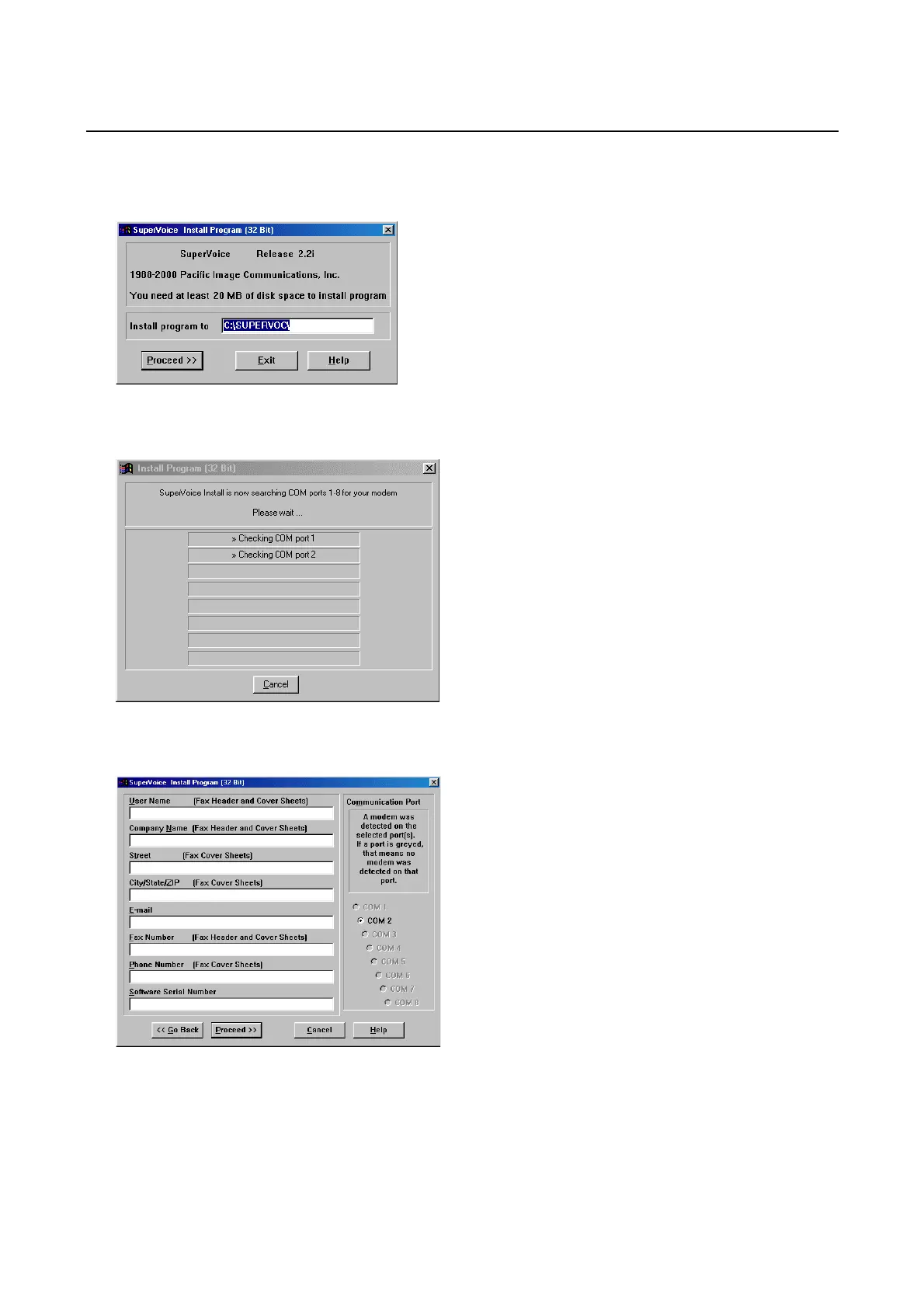
6. If so desired, specify another location for the program and click on ‘Proceed’. See Figure 2.
Figure 2: Specify install location
7. SuperVoice will search for the COM port the modem is connected to. See Figure 3.
Figure 3: Searching for modem
8. After the modem has been located, fill out your personal particulars and click on ‘Proceed’. See Figure 4.
Figure 4: Fill out personal information
9. After the installation, a ‘PIC Fax Printer’ will be added. Click on ‘OK’. See Figure 5.


 To Next Page