EasyManua.ls Logo

Trust DS-3250 - User Manual

Trust DS-3250
51 pages
Print Icon
To Next Page IconTo Next Page
Loading...
UK
DE
FR
IT
ES
PL
NL
PT
GR
DK
SE
HU
CZ
FI
NO
TR
RU
User’s manual
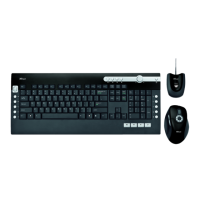
DS-3250 WIRELESS OPTICAL MULTIMEDIA DESKSET
Version 2.0
SK
RO
BU
CN
Question and Answer IconNeed help?

Do you have a question about the Trust DS-3250 and is the answer not in the manual?

Summary

Product Installation Guide

Battery Insertion

Instructions for opening battery compartments and inserting batteries into the mouse and keyboard.

USB Transmitter Setup

Connecting the USB transmitter to the PC and waiting for automatic installation.

Product Features and Functions

Internet and Media Keys

Details on buttons for browser navigation, media playback, and volume control.

Launch, System, and Special Buttons

Functions of buttons for launching applications, system controls, and special characters.

Mouse Features Overview

Description of the USB receiver, mouse side buttons, and scrollwheel functions.

Important Usage Notes

Key Functionality and Configuration

Notes on multimedia keys, launching default programs, and keyboard layout settings.

Performance and Connectivity Factors

Information on wireless range, interference, and surface tracking performance.

Power Management and Battery Safety

Details on battery life, sleep mode, low battery indicator, and safe battery disposal.

Summary

Product Installation Guide

Battery Insertion

Instructions for opening battery compartments and inserting batteries into the mouse and keyboard.

USB Transmitter Setup

Connecting the USB transmitter to the PC and waiting for automatic installation.

Product Features and Functions

Internet and Media Keys

Details on buttons for browser navigation, media playback, and volume control.

Launch, System, and Special Buttons

Functions of buttons for launching applications, system controls, and special characters.

Mouse Features Overview

Description of the USB receiver, mouse side buttons, and scrollwheel functions.

Important Usage Notes

Key Functionality and Configuration

Notes on multimedia keys, launching default programs, and keyboard layout settings.

Performance and Connectivity Factors

Information on wireless range, interference, and surface tracking performance.

Power Management and Battery Safety

Details on battery life, sleep mode, low battery indicator, and safe battery disposal.

Trust DS-3250 Specifications

General IconGeneral
ConnectionWireless
Wireless technology2.4 GHz
USB receiver includedYes
MaterialPlastic
ColorBlack
AdjustabilityNo
CategoryComputer Accessories
CompatibilityWindows, Mac

Related product manuals