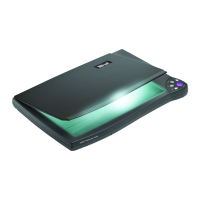
Easy Scan 19200
Contents
1. Introduction....................................................................................1
2. Safety First.....................................................................................2
3. Installing the scanner....................................................................3
3.1 Contents of the packaging .........................................................3
3.2 Transport safety catch...............................................................3
3.3 Connection.................................................................................3
4. Software installation.....................................................................6
4.1 Installing the TWAIN driver ........................................................6
4.1.1 Windows 3.1x .........................................................................6
4.1.2 Windows 95 / Windows NT.....................................................7
4.2 Installing MGI PhotoSuite SE.....................................................8
4.2.1 Windows 3.1x .........................................................................8
4.2.2 Windows 95 / Windows NT.....................................................9
4.3 Installing TextBridge...................................................................9
4.3.1 Windows 3.1x .........................................................................9
4.3.2 Windows 95 / Windows NT...................................................10
4.4 Installing PaperCom.................................................................12
4.4.1 Windows 3.1x .......................................................................12
4.4.2 Windows 95..........................................................................12
5. Working with MGI PhotoSuite SE ..............................................14
5.1 Once-only set-up......................................................................14
5.2 Scanning with MGI PhotoSuite SE...........................................15
6. Working with TextBridge............................................................18
6.1 TextBridge 3.0 OCR for Windows 3.1x....................................18
6.1.1 Once-only set-up of the scanner...........................................18
6.1.2 Producing a scan with TextBridge 3.0 OCR..........................18
6.2 TextBridge Classic for Windows 95 .........................................20


 To Next Page