EasyManua.ls Logo

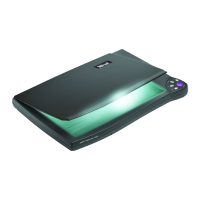
Trust Handy Scan Colour - User Manual

Trust Handy Scan Colour
19 pages
Print Icon
To Next Page IconTo Next Page
Loading...
Trust Handy Scan Colour
User's Manual
Question and Answer IconNeed help?

Do you have a question about the Trust Handy Scan Colour and is the answer not in the manual?

Summary

Introduction

Safety Precautions

Essential safety guidelines for operating and maintaining the scanner, covering environmental factors and handling.

Chapter 1: The Trust Handy Scan Colour

Chapter 2: Setup

Installing the Scan Driver

Instructions for installing the necessary scan driver software as part of the Scantools setup.

Installing the Interface Card

Step-by-step guide for physically installing the 16-bit interface card into the computer.

Connecting the Scanner

Procedure for physically connecting the scanner cable to the installed interface card.

Chapter 3: Launching the Image Source (TWAIN)

Chapter 4: Scantools

Installing Scantools

Detailed steps for installing the Scantools application and associated device drivers on Windows.

Getting Ready to Use Your Scanner

Configuration steps to launch the TWAIN image source for scanner operation.

Applying Gamma Correction to Images

Guidance on adjusting image midtone brightness using the Gamma Correction feature in Scantools.

Chapter 5: StitchScan

Summary

Introduction

Safety Precautions

Essential safety guidelines for operating and maintaining the scanner, covering environmental factors and handling.

Chapter 1: The Trust Handy Scan Colour

Chapter 2: Setup

Installing the Scan Driver

Instructions for installing the necessary scan driver software as part of the Scantools setup.

Installing the Interface Card

Step-by-step guide for physically installing the 16-bit interface card into the computer.

Connecting the Scanner

Procedure for physically connecting the scanner cable to the installed interface card.

Chapter 3: Launching the Image Source (TWAIN)

Chapter 4: Scantools

Installing Scantools

Detailed steps for installing the Scantools application and associated device drivers on Windows.

Getting Ready to Use Your Scanner

Configuration steps to launch the TWAIN image source for scanner operation.

Applying Gamma Correction to Images

Guidance on adjusting image midtone brightness using the Gamma Correction feature in Scantools.

Chapter 5: StitchScan

Trust Handy Scan Colour Specifications

General IconGeneral
Scanner typeHandheld scanner
Colour scanningYes
Optical Resolution600 x 1200 dpi
Scan Area216 x 297 mm
InterfaceUSB
CompatibilityWindows
Color Depth24-bit

Related product manuals