11
4.1 Connect to camera with IPhone/
IPad (IOS)
If you are logged in with a Control Station
first press on the IP Camera in the menubar
on the bottom of the screen.
Go to step 4.2 if you are using an Android
device.
A
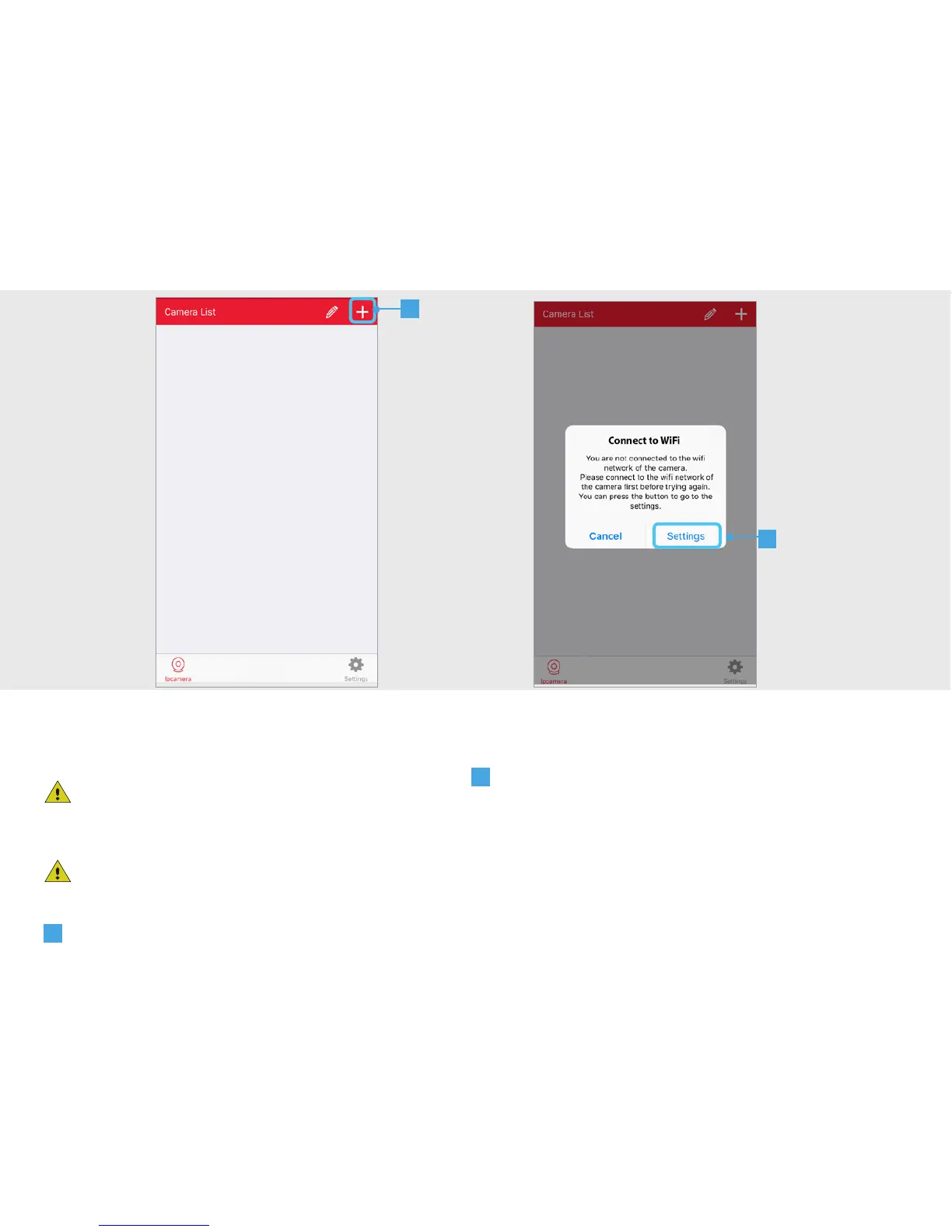
Press the + button at the top of the screen
to add a new camera
B
A pop-up appears saying you must connect
to the Wifi network of the camera. Press on the
SETTINGS button.
4.1
A
B


 To Next Page