10
C
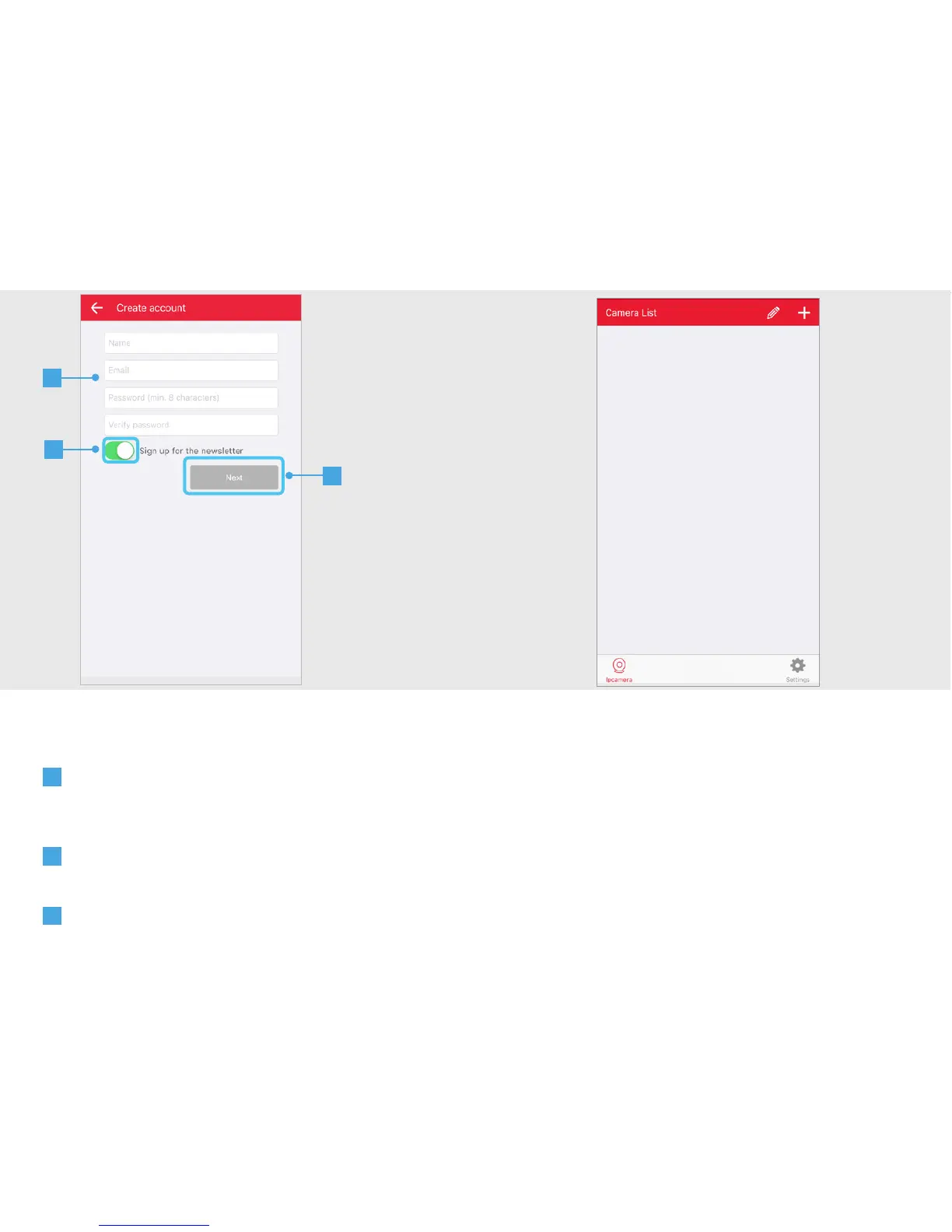
A screen appears to fill in your account
information. Fill in your name, email address
and a self created password.
D
Choose if you want to receive a newsletter
or not.
E
When all information is filled in press the
NEXT button.
Your account will be registered and the App
will open with above following screen.
C
D
E


 To Next Page