9
3. Register IP Camera
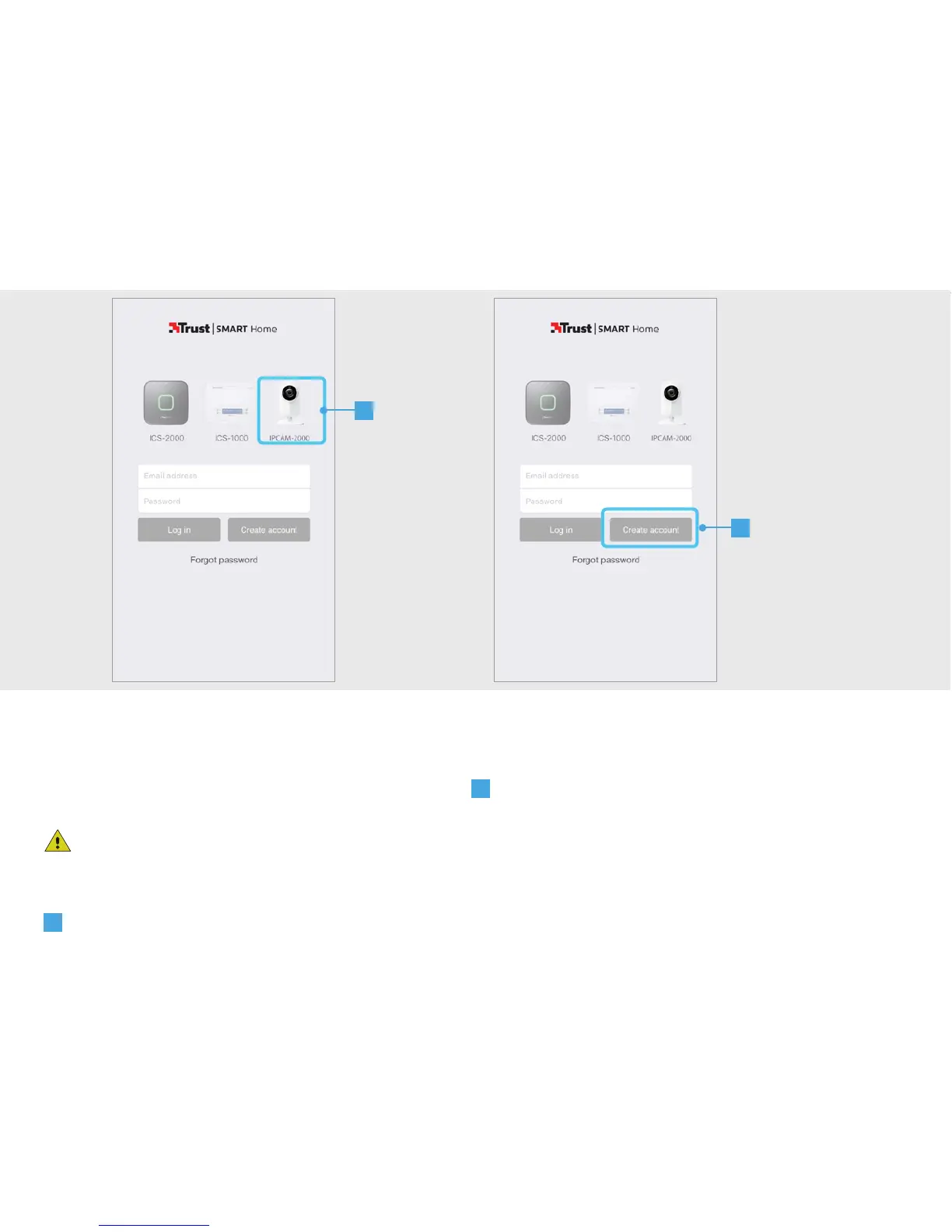
Open the Trust Smart Home App on your
mobile device.
If you own an Octopus Control station
(ICS-2000) press on the picture of the Octopus
Control station, login and go to step 4.1.
A
Press on the picture of the IPCAM-2000
B
Press the CREATE ACCOUNT button.
3
A
B


 To Next Page