17
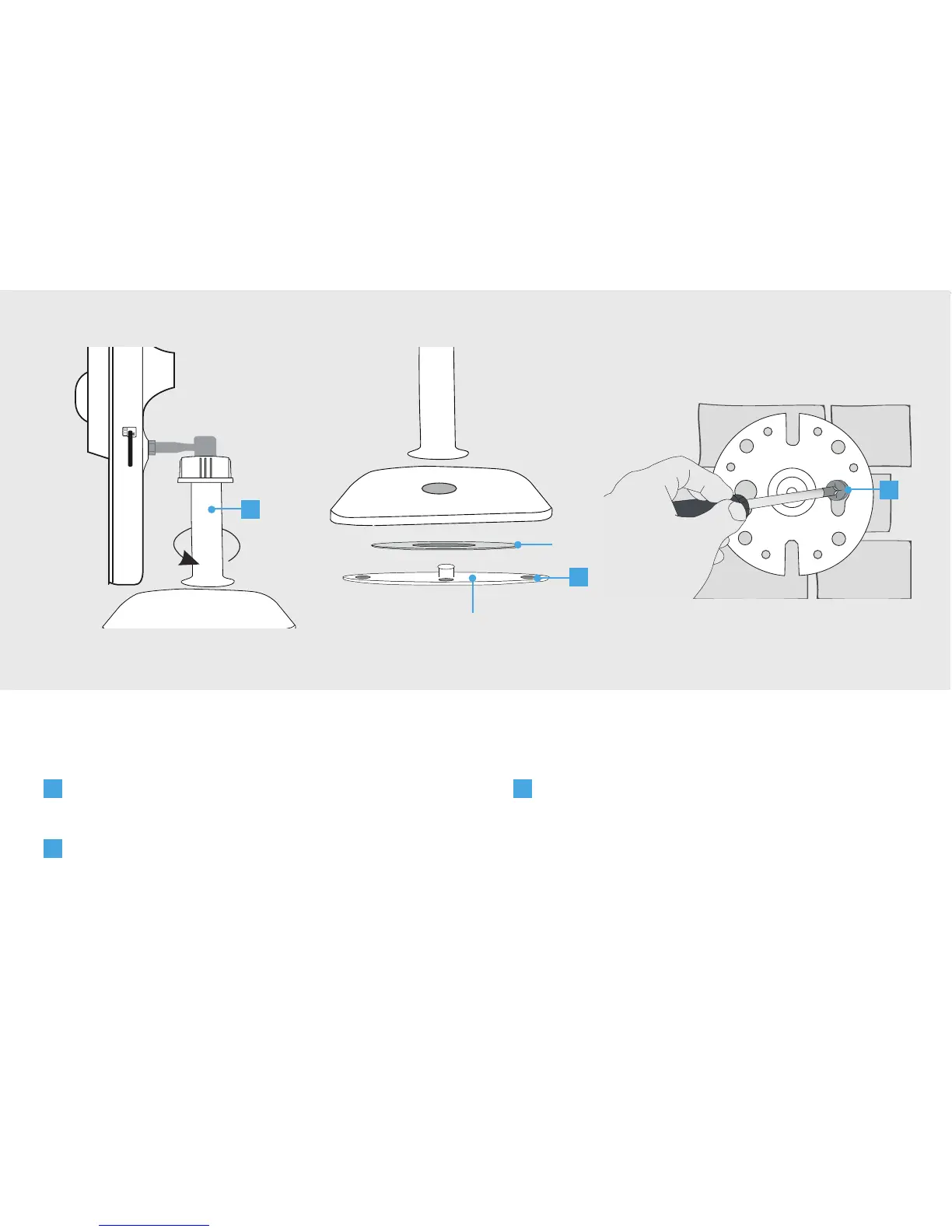
C
Place the white plastic mounting plate on a
flat surface and screw it tightly using screws.
(Screws with plugs are included). Make sure
the screw holes are not placed in a crack or
a hole.
A
Loosen the stand of the camera by
unscrewing it from the foot.
B
Remove the white plastic mounting plate
from the camera
6. Mount the IP Camera
3
A
B
C
Metal ring
White plastic mounting plate
6


 To Next Page