16
5. Edit/Delete camera
H
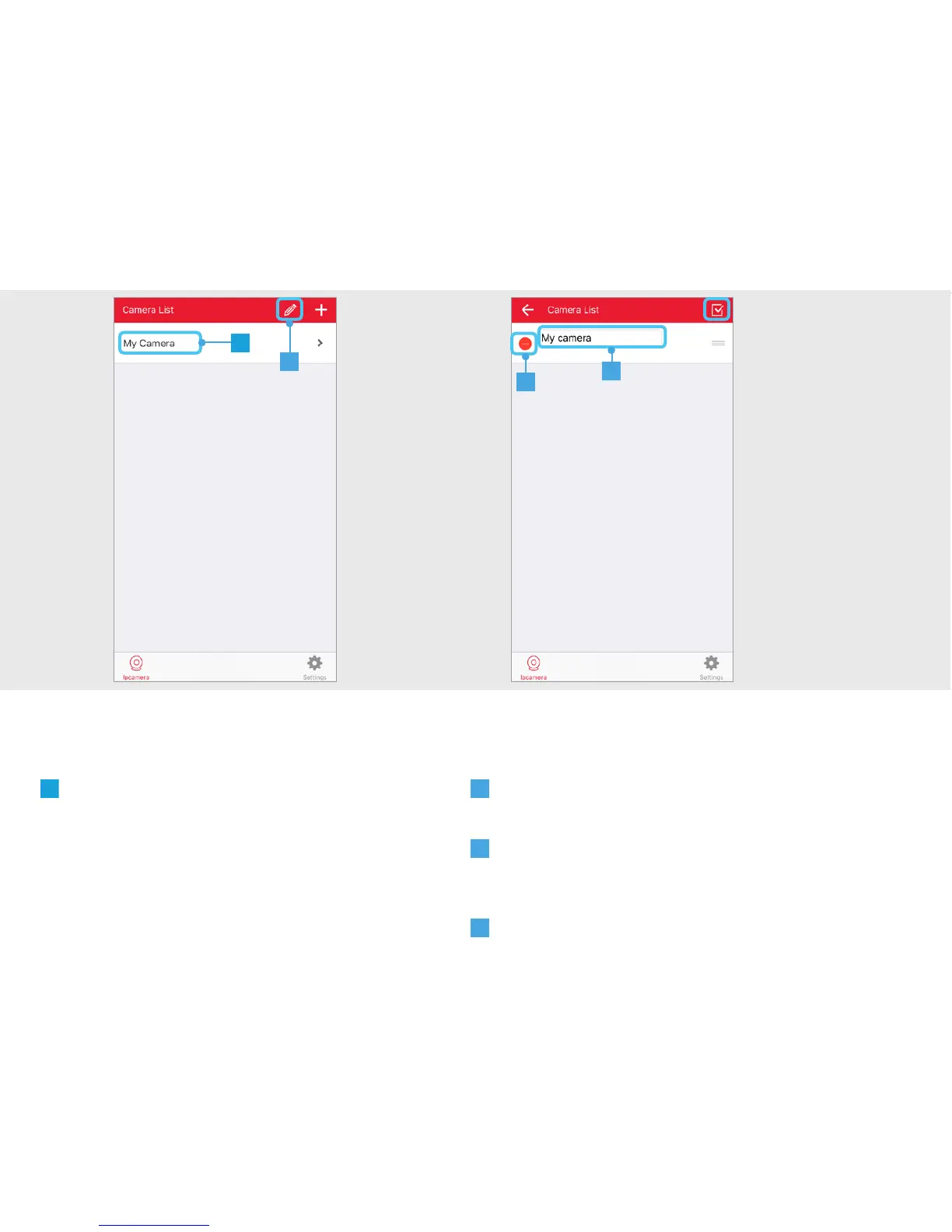
The camera has been added to the list. To
open the video stream press on the name of
the camera.
A
Press the pencil button at the top of the screen
to EDIT the name of the camera or to DELETE it.
B
Press on the name of the camera to begin
editing the name. Press the CONFIRM button when
done.
C
Press the DELETE button to delete the camera.
Press the CONFIRM button when done.
H
A
B
C
5


 To Next Page