15
F
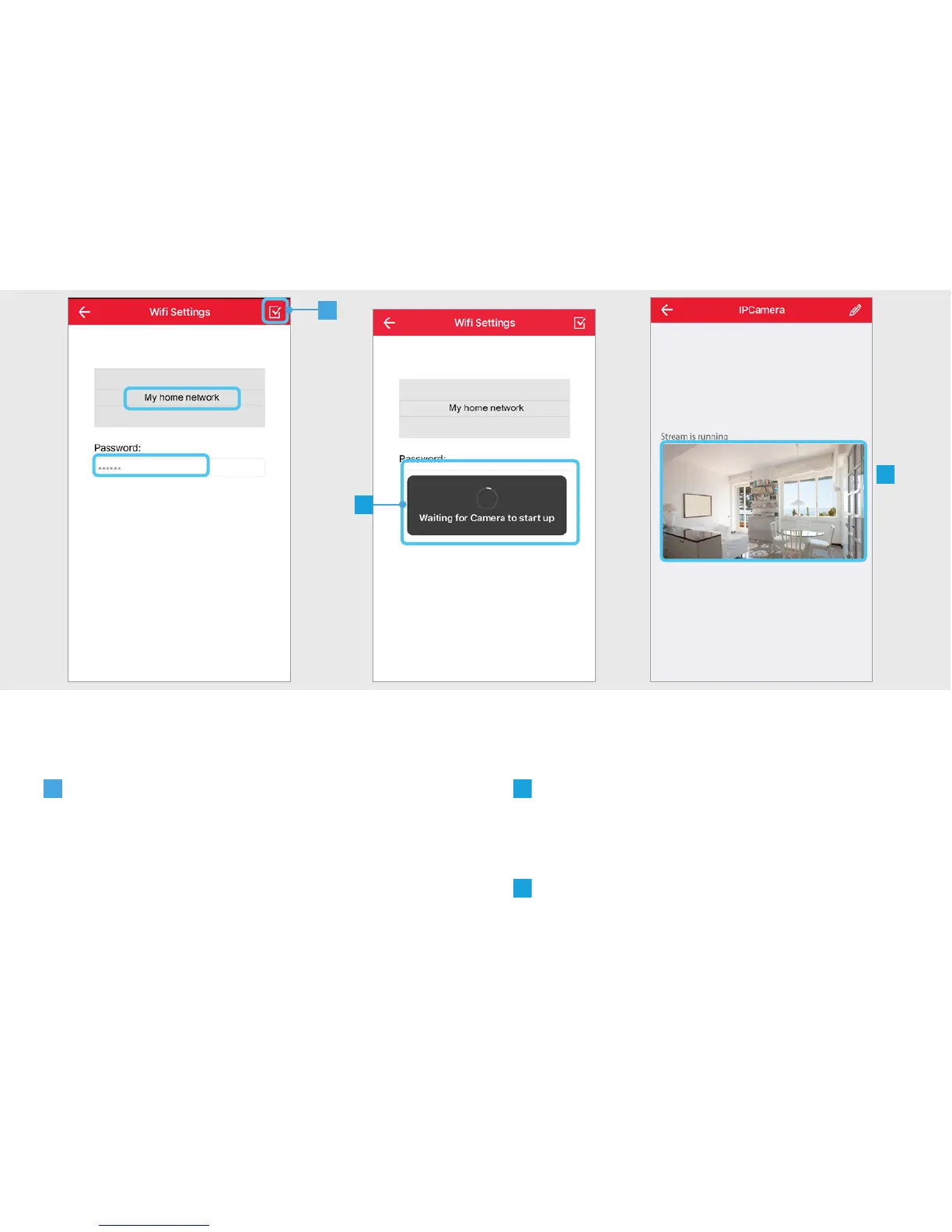
The camera is now connecting to your
home WiFi network, reconnecting with the
App and rebooting. This can take up to two
minutes.
G
The camera is now connected to your
Home WiFi network.
E
Choose your Home WiFi network and fill
in the password for this network. Press the
CONFIRM button when done.
E
F
G


 To Next Page