EasyManua.ls Logo

Truweigh STORM - Weighing Your First Item; AUTO-OFF Setting

Truweigh STORM
6 pages
Print Icon
To Next Page IconTo Next Page
To Previous Page IconTo Previous Page
Loading...
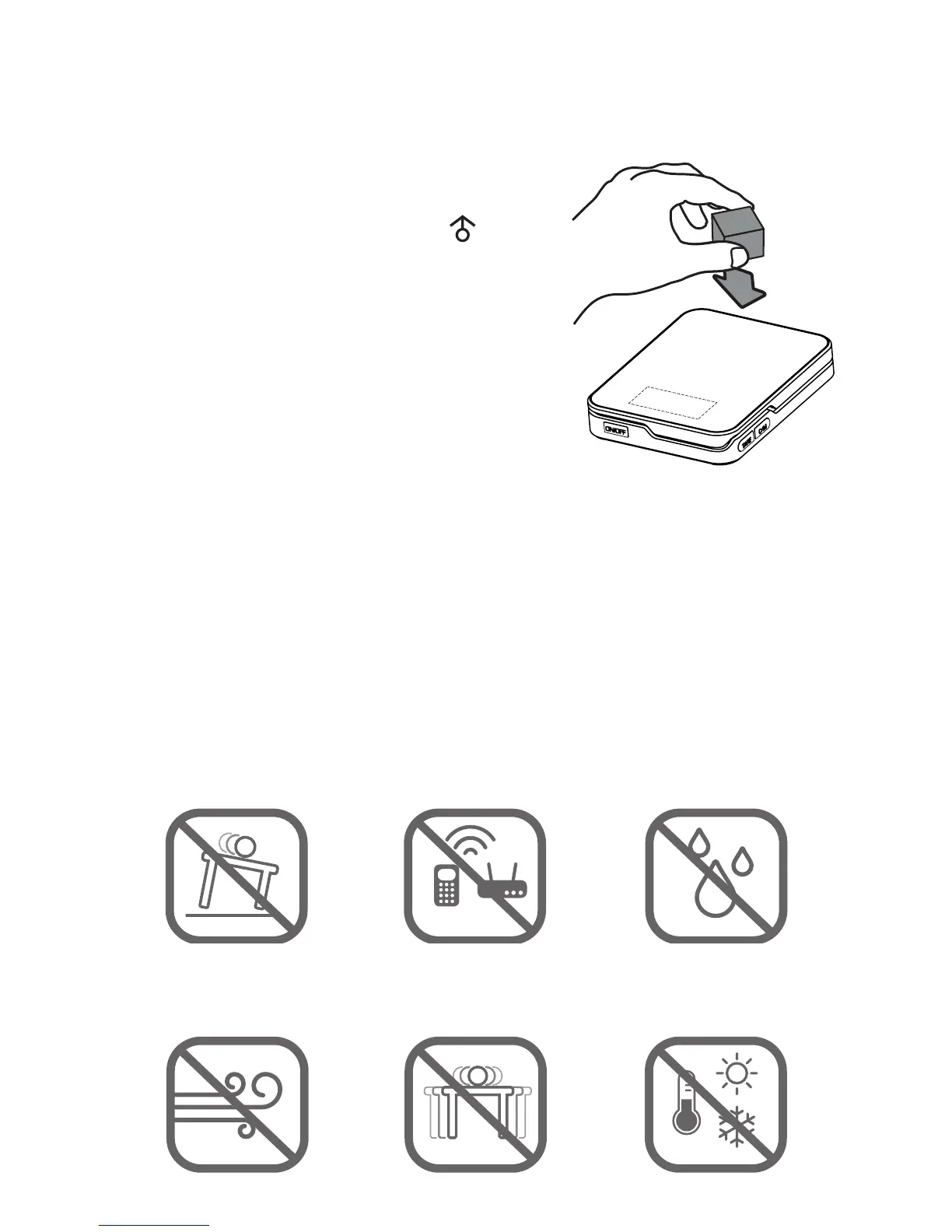
Weighing Your First Item
1. Press the ON/OFF key to turn the scale on.
2. Place the item on the center
of the weighing platform.
3. The display will show when
the weight is stable.
4. Take your reading from the
display. You can press the
C/M key to convert between
weighing units.
5. The scale’s auto-o function
will turn the scale o after 3
minutes of inactivity or you
can press the ON/OFF key to turn the scale o.
AUTO-OFF Setting: You can temporarily disable the auto-
o feature by holding C/M for several seconds until the
display shows “AUTOFF” then release. The scale will now
remain on until powered o manually. The AUTO-OFF
feature will be restored the next time you use the scale.
Things To Avoid

Radio Frequency
Interference
Unlevel Surfaces High Humidity
Air Currents Vibration Extreme Temps
ON
TARE
CAL
MODE
Radio Frequency
Interference
Unlevel Surfaces High Humidity
Air Currents Vibration Extreme Temps
ON
TARE
CAL
MODE
Radio Frequency
Interference
Unlevel Surfaces High Humidity
Air Currents Vibration Extreme Temps
ON
TARE
CAL
MODE
Radio Frequency
Interference
Unlevel Surfaces High Humidity
Air Currents Vibration Extreme Temps
ON
TARE
CAL
MODE
Radio Frequency
Interference
Unlevel Surfaces High Humidity
Air Currents Vibration Extreme Temps
ON
TARE
CAL
MODE
Radio Frequency
Interference
Unlevel Surfaces High Humidity
Air Currents Vibration Extreme Temps
ON
TARE
CAL
MODE
Unlevel Surfaces
Air Currents
Radio Frequency
Interference
Vibration
High Humidity
Extreme Temps
Radio Frequency
Interference
Unlevel Surfaces High Humidity
Air Currents Vibration Extreme Temps
ON
TARE
CAL
MODE