RIP™ Group Training Station Assembly4
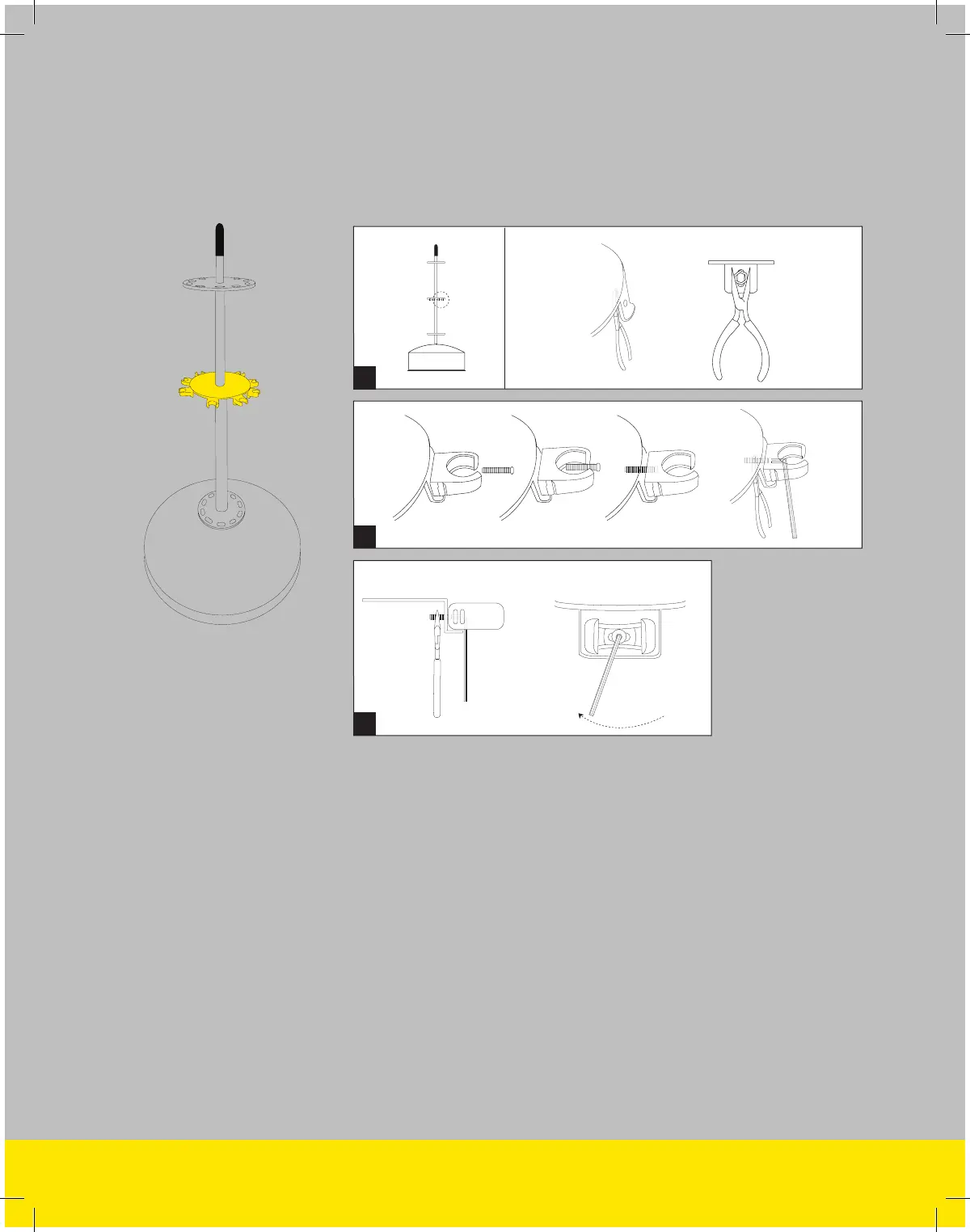
(A) Using pliers and a 1/8” allen wrench, attach 10 clips to the Group Station
Tower upper carousel. To attach, use the pliers to hold the nut in place on
the inside of the carousel. (B) Insert the bolt through the clip, through the
corresponding carousel hole and into the nut. (C) Turn the wrench until the
clip is securely fastened onto the carousel. Do not over tighten bolts. Doing
so could result in the clip breaking.
B
C
A
Profile View
Inside Carousel
Outside Carousel
STEP 2
Attach the
Carousel Clips


 To Next Page