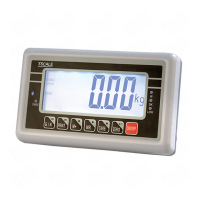
BW / CW/VW/BWS Series Indicator Technical Manual
To set the parity
Options:
7 e1 / 7 o1 / 8 n1
To set printer model
Options:
Tpu p : set the Tscale printer tpup
Lp50 : Set the Tscale printer LP-50
To set to use decimal
Options;
0 / 0.0 / 0.00 / 0.000
R1 inc
To select the scale division.
Options:
1 / 2 / 5 / 10 / 20 / 50 / 100 /
200
R1 cap
To set the scale capacity
R1 inc
To select the scale division.
Options:
1 / 2 / 5 / 10 / 20 / 50 / 100 /
200
R1 cap
To set the scale capacity.
Then press to set R2inc and R2
cap
To set non linear calibration
Showing scale internal counts
To set keypad lock
Options: on / off
To set animal mode.
Options: on / off
Note: Du al – This function is used to dual interval.
On: Dual interval enables / Off: Dual interval disable.
Then can set Capacity and Division



 To Next Page