EasyManua.ls Logo

TSM DOUBLER2 - User Manual

TSM DOUBLER2
2 pages
Print Icon
To Next Page IconTo Next Page
Loading...
DOUBLER
DOUBLER
2
2
A Reg. Trademark of TSM - US Patent No. 4,575,004 6,126,141
INSTRUCTIONS FOR INSTALLING DOUBLER
2
COMPATIBLE WITH ALL 24VAC CONTROLLERS
STEP 1 - INSTALLATION IN THE VALVE BOX
1. Connect WHITE wire and one wire from each valve
solenoid to your field COMMON wire.
2. Connect STATION/HOT wire from the controller to BLACK wire
NOTE: Disconnect station/hot from any valves, if applicable.
3. Connect the RED wire to the FIRST valve solenoid.
4. Connect the YELLOW wire to the SECOND valve solenoid.
5. Connect the BLUE wire to the THIRD valve solenoid.
6. Connect the GRAY wire to the FOURTH valve solenoid.
Be sure to WATERPROOF all wire connections.
CONTROLLER
1 2 3 4 5 6 7 8
C
1
2
DOUBLER
2
3
4
5 6
Specifications
Input: 24VAC, 60Hz Nom. Power: 33ma
Output: 24VAC up to 8A Switch time: 7ms
1 year full replacement warranty against defects
STEP 2 - INSTALLATION AT THE CONTROLLER
1. Connect jumper wires between the four (4) stations
in the controller you wish to use to control your valves.
(On solid state controllers these stations should not be
in sequence.) See Example A.
2. Set your watering times on each of the jumpered stations.
Your valves will operate according to the time set on
these stations.
You have now installed your DOUBLER
2
.
CONTROLLER
1 2 3 4 5 6 7 8
C
Example A
To
DOUBLER
2
IMPORTANT: Your DOUBLER
2
will need to be powered up four times to keep all valves in
sequence. If you are only utilizing three of the DOUBLER
2
’s outputs, a fourth station with a
minimum time set on it may be used to reset your unit back to its first output. Each time the
DOUBLER
2
receives power it will cycle to the next output in the following order:
Red-Yellow-Blue-Gray, Red-Yellow-Blue-etc.
***If you only need to run two valves on one hot wire, try our o
riginal
riginal
DOUBLER
DOUBLER
***
***
CONTINUED ON REVERSE
IN THE VALVE BOX
AT THE CONTROLLER
AFFIX THIS DECAL IN, ON OR NEAR
CONTROLLER & FILL IN THE STATION
NUMBER(S) YOUR DOUBLER
2
IS USING.
THIS DECAL WILL PROVIDE FUTURE
REFERENCE FOR USE IN PROGRAMMING
& MAINTENANCE OF THIS SYSTEM.
IMPORTANT!!
Question and Answer IconNeed help?

Do you have a question about the TSM DOUBLER2 and is the answer not in the manual?

Summary

Installation in the Valve Box

Connect Common Wire

Connect white wire and one wire from each valve solenoid to your field COMMON wire.

Connect Station;Hot Wire

Connect the STATION/HOT wire from the controller to BLACK wire.

Connect Red Wire to First Valve

Connect the RED wire to the FIRST valve solenoid.

Connect Yellow Wire to Second Valve

Connect the YELLOW wire to the SECOND valve solenoid.

Connect Blue Wire to Third Valve

Connect the BLUE wire to the THIRD valve solenoid.

Connect Gray Wire to Fourth Valve

Connect the GRAY wire to the FOURTH valve solenoid.

Waterproof Wire Connections

Be sure to WATERPROOF all wire connections.

Installation at the Controller

Standard Controller Wiring

Connect jumper wires between four controller stations for valve control.

Set Controller Watering Times

Set watering times on jumpered stations for valve operation.

Power Sequencing Requirement

Unit needs power cycled four times to keep valves in sequence.

Alternate Controller Wiring Method

Connect jumper wires between two controller stations for valve control.

Set Alternate Watering Times

Set times on two stations for both program A and B.

Valve Watering Order Troubleshooting

Switch last station on/off if incorrect valve waters; cycle controller.

Operational Test Procedure

Test DOUBLER2 by applying 24VAC and checking output voltage.

Limited Warranty Information

One Year Limited Warranty

Product warranted free from defects in workmanship and materials for one year.

Overview

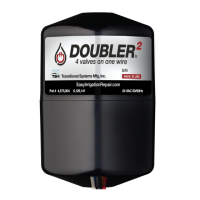
The DOUBLER² is a device designed to expand the number of irrigation valves that can be controlled by a standard 24VAC irrigation controller. It allows a single station on the controller to operate up to four separate valves sequentially, effectively "doubling" (or quadrupling) the controller's capacity without requiring a new controller. This device is compatible with all 24VAC controllers.

Function Description:

The core function of the DOUBLER² is to multiplex control signals from an irrigation controller. When a single station on the controller sends a 24VAC signal, the DOUBLER² receives this signal and, in turn, activates one of its four outputs (Red, Yellow, Blue, Gray) sequentially. Each output is connected to a different valve solenoid. This means that by programming a single station on the controller to run for a certain duration, the DOUBLER² will cycle through its connected valves, activating each one for the duration set on the controller.

The device operates in a specific sequence: Red-Yellow-Blue-Gray, and then repeats. Each time the DOUBLER² receives power (i.e., the controller station turns on), it advances to the next output in this sequence. This sequential operation is crucial for managing multiple valves from a single controller output.

Installation:

Installation of the DOUBLER² involves two main steps:

  1. Installation in the Valve Box:

    • The WHITE wire from the DOUBLER² and one wire from each valve solenoid are connected to the field COMMON wire.
    • The STATION/HOT wire from the controller (which would normally go to a single valve) is connected to the BLACK wire of the DOUBLER². Any existing valve connections to this station/hot wire should be disconnected.
    • The RED wire from the DOUBLER² is connected to the FIRST valve solenoid.
    • The YELLOW wire is connected to the SECOND valve solenoid.
    • The BLUE wire is connected to the THIRD valve solenoid.
    • The GRAY wire is connected to the FOURTH valve solenoid.
    • All wire connections must be waterproofed.
  2. Installation at the Controller:

    • Method 1 (Four Open Stations): Jumper wires are connected between four (4) stations in the controller that are designated to control the valves. For solid-state controllers, these stations should ideally not be in sequence (e.g., 1, 3, 5, 7 instead of 1, 2, 3, 4). Watering times are then set on each of these jumpered stations. The valves will operate according to the time set on these stations.
    • Method 2 (Limited Open Stations / Multiple Programs): If four stations are not available and the controller has multiple programs (e.g., A & B), a jumper wire can be connected between two (2) stations. Again, for solid-state controllers, these stations should not be in sequence. Watering times are then set on these two stations on both program A and program B. The valves will operate according to the time set on these stations.

Important Technical Specifications:

  • Input: 24VAC, 60Hz
  • Output: 24VAC up to 8A
  • Nominal Power: 33mA
  • Switch Time: 7ms
  • Warranty: 1 year full replacement warranty against defects.

Usage Features:

  • Sequential Valve Operation: The DOUBLER² cycles through its outputs (Red, Yellow, Blue, Gray) in a fixed order each time the controller station provides power.
  • Reset Functionality: If only three of the four outputs are being utilized, a fourth station with a minimum time set on it can be used to reset the unit back to its first output (Red). This ensures that the desired sequence starts correctly.
  • Correction of Incorrect Valve Watering: If an incorrect valve is watering on a station, the user can switch the last DOUBLER² station (e.g., station 7 in Example A) on and off until the correct valve is watering. The controller will then activate the valves in the chosen order during its next cycle.
  • Original DOUBLER Compatibility: For users needing to run only two valves on one hot wire, the original DOUBLER (not DOUBLER²) is recommended.

Maintenance Features:

  • Troubleshooting/Testing: An operational test can be performed to ensure the DOUBLER² is functioning properly:
    1. Apply 24VAC to the black and white wires of the DOUBLER².
    2. Use a meter to measure between the white wire and each output wire to find the hot output (should read 24VAC).
    3. Switch the power to the DOUBLER² off and back on, then test between the white wire and the next output wire.
    4. Repeat step 3 until all outputs have been cycled through a few times to confirm correct operation.
  • Post-Servicing Procedure: After testing or servicing sprinkler systems, the last DOUBLER² station should be turned on and off until the correct valve is watering. This ensures the controller activates all valves in the desired order.
  • Decal for Reference: An important decal is provided to be affixed in, on, or near the controller. This decal should be filled in with the station number(s) the DOUBLER² is using. This serves as a future reference for programming and maintenance of the system.

Warranty Information:

Transitional Systems Manufacturing Inc. (TSM) provides a one-year limited warranty from the date of delivery. This warranty covers defects in workmanship and materials. Defects appearing after one year are considered due to ordinary wear and tear. TSM's liability is limited to repairing or replacing defective items free of charge, F.O.B. factory. The warranty explicitly disclaims liability for results from using the products in combination with other components, unsuitability for specific applications, and any special or consequential damages. It also disclaims all other express, implied, or statutory warranties, including merchantability, fitness for purpose, description, quality, and productiveness. Some states may not allow limitations on incidental or consequential damages or implied warranties, so these disclaimers may not apply to all purchasers.

TSM DOUBLER2 Specifications

General IconGeneral
BrandTSM
ModelDOUBLER2
CategoryController
LanguageEnglish