Getting Started with the InO-Bot app
The InO-Bot app should be downloaded from the Apple App Store or
Google Play. InO-Bot is compatible with iPad 4 or newer (these devices
have lightning connectors). InO-Bot is compatible with Android tablets
with Bluetooth hardware running Android 5 or newer.
Bluetooth Connection
Note: InO-Bot does not needed pairing with an iPad or Android device. It should not be
manually paired with one.
1) Switch on InO-Bot.
2) Launch the app.
3) The app should find and automatically connect to an available InO-Bot. Whilst it
is connected, InO-Bot will not be available to other devices.
Advice when using a number of InO-Bots at the same time: Switch on all InO-Bots and
all iPads. DO NOT open or launch the app. Open the app on one iPad only. That iPad
will find an InO-Bot and connect to it. That pair of devices can then be used. Launch
the app on another iPad and continue the process of launch and connect.
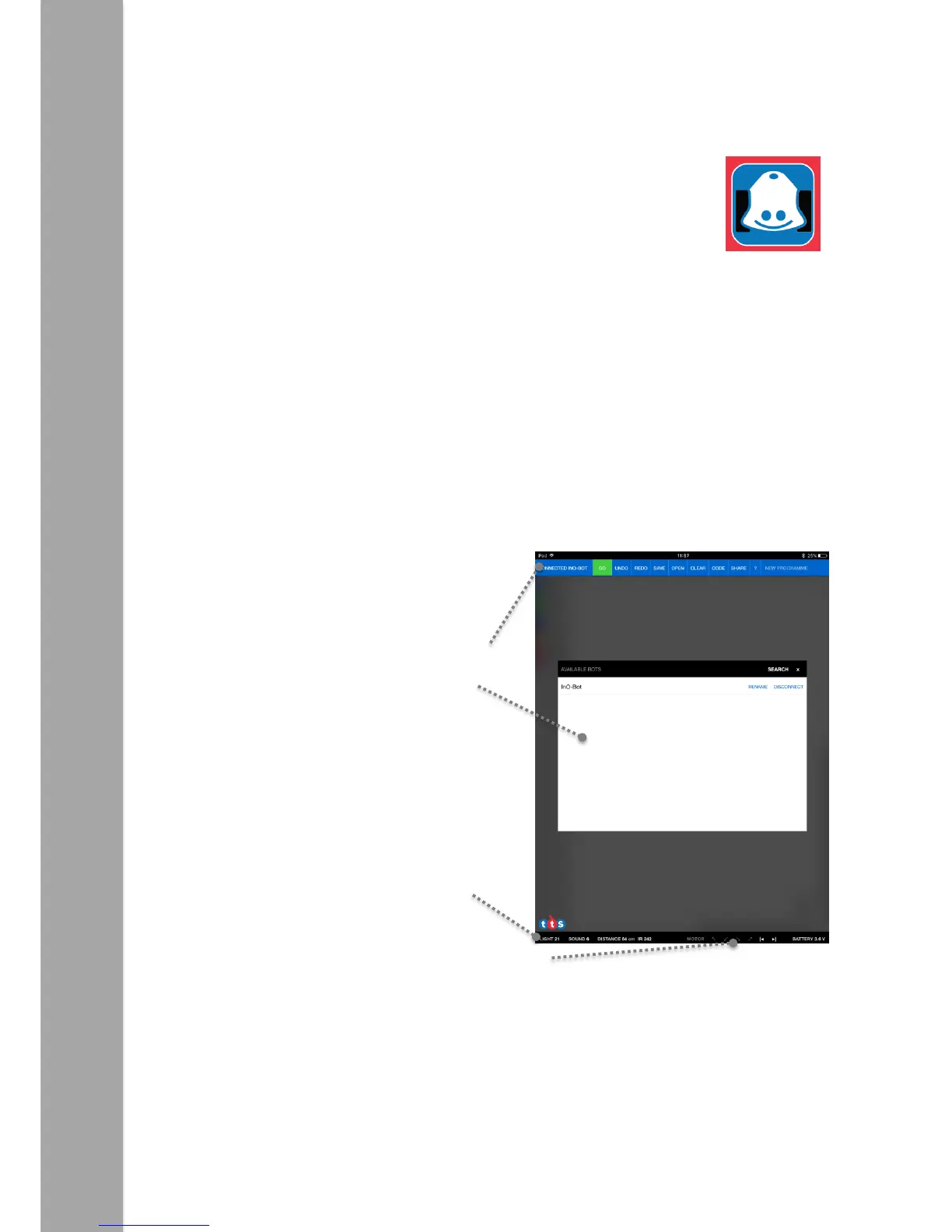
InO-Bot App Screen
This indicates an InO-Bo is connected. Tapping
on this space will open the window shown.
Whilst InO-Bot is connected, readings from
the sensors will be displayed on this bar.
Corner proximity sensors and line follower sensors.



 To Next Page