2. Basic operation
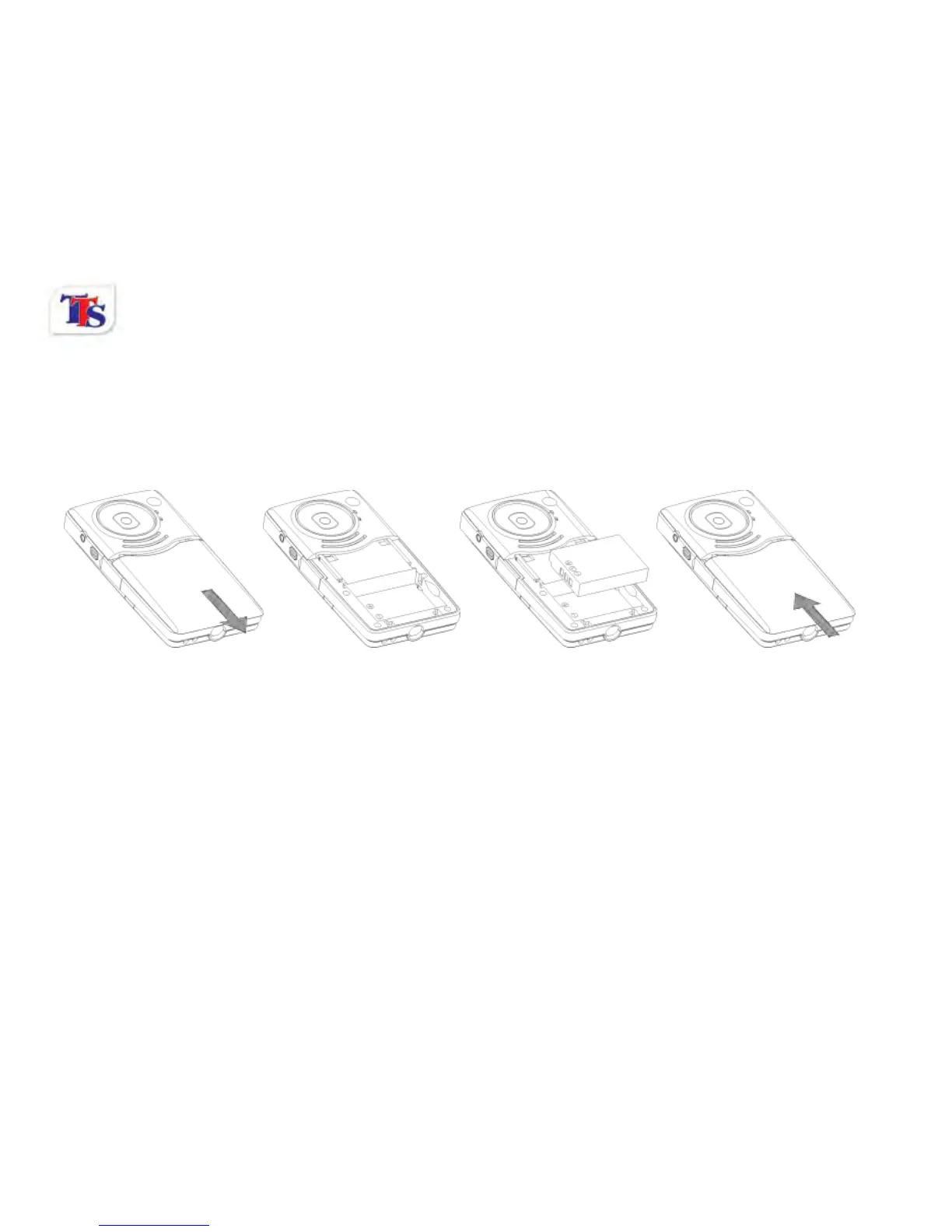
2.1 Install battery
Press / slide down the Battery Cover and insert the lithium battery. Align with correct polarity of battery
terminals. Replace the Battery Cover.
2.2 Charge Battery
1. Turn off the camera.
2. Connect the camera, via the built in USB port, to the computer’s USB port or a power adapter
3. During charging, Status LED is on and turns off when charging is complete.
2.3 Use SD/MMC/SDHC card
Turn your camcorder OFF before inserting / removing the SD Card.
Insert a Memory card into the SD/MCC Card Slot. Push it down until the card stays latched.



 To Next Page