Keyboard On The Fly Hot Keys
Function Operation Result
Mouse speed increase** F12 + Wheel- Up
0.2x/key stroke
Mouse speed decrease**
F12 + Wheel- Down 0.2x/key stroke
ADS Mouse speed increase** F11 + Wheel- Up
0.2x/key stroke
ADS Mouse speed decrease** F11 + Wheel- Down
0.2x/key stroke
Auto Firing On/Off F12 + Mouse-left click
Toggle Auto firing on/off
Auto firing tap select increase F12 +
→
Burst 2->3->4->continue
Auto firing tap select decrease F12 +
←
Continue-> 4->3->2 burst
Aim Down
Sigh Lock On/Off
F11 + L
Toggle ADS Lock on/off
Swap
Swap Left stick and mouse
F11 + W
Toggle Enable/Disable
Mouse
Speed
Firing
option
Function Operation Result
F(R) + Wheel- Up
F(R) + Wheel- Down
F(L) + Wheel- Up
F(L) + Wheel- Down
Mouse speed increase
0.2x/wheel increment click
Mouse speed decrease
0.2x/wheel decrease click
ADS Mouse speed increase
0.2x/wheel increment click
ADS Mouse speed decrease
0.2x/wheel decrease click
Auto Firing On/Off F(R) + R1
Toggle Auto firing On/Off
Auto firing tap select increase F(R) + R4
Burst 2->3->4->FULL
Auto firing tap select decrease F(R) + R7
FULL-> 4->3->
2 burst
Aim Down Sigh Lock On/Off F(L) + L2 Toggle ADS Lock on/off
Swap Swap Left stick and mouse F(L) + L3
Swap Enable/Disable toggle
Switch Mouse CPI CPI button
Green->Blue->Red cyclic
Pair Wand to Transceiver
F(L) + L4
Enter Pair mode
Mouse
Speed
Firing
options
Mouse
CPI
Pair
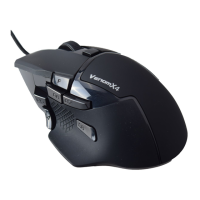
Venom-X4 On The Fly Hot Keys
Profile
Select
Select setting profile
Press Profile button
on Transceiver
Red->Blue->Orange->Cyan->
Purple->Green cyclic
Note:
F11, F12,
↑, ↓, → and ← are the function and arrow keys on keyboard.
Anti-recoil compensation increase*
Anti-recoil compensation decrease*
F(R) + Dpad Up
F(R) + Dpad Down
1- 20, -1/Dpad depress
1- 20, +1/Dpad depress
*: Supported Firmware 4.0.0 or newer.
Anti-recoil compensation increase*
Anti-recoil compensation decrease*
F12 +
↑
F12 +
↓
1- 20, -1/key stroke
1- 20, +1/key stroke
*: Supported on Firmware 4.0.0 or newer.
**: Hot Keys are changed in Firmware V4.0.0 and newer.
Factory
Mode
Enter the Transceiver factory mode
Enter the Mouse Factory mode
Hold the R3 to
plug onto PC
Hold the Pair button
to plug on to PC
Red-Blue-Green flashing cyclic
Red-Blue-Green flashing cyclic


 To Next Page
 Loading...