LED Display
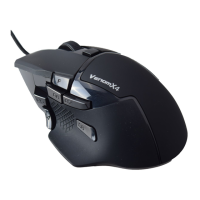
Venom-X4 Mouse LEDs
Red – Current mouse CPI is at high preset value
Blue – Current CPI is at medium preset value
Green – Current CPI is at low preset value
3 color alternating -- Factory mode for firmware code recovery.
Note: CPI value is pre-set by the Setup software, the Android App doesn’t support the mouse setup.
Transceiver Multi-function LED
Working modes:
Red – Powered on, Red profile is in use
Green – Powered on, Green profile is in use
Blue – Powered on, Blue profile is in use
Orange – Powered on, Orange profile is in use
Cyan – Powered on, Cyan profile is in use
Purple – Powered on, Purple profile is in use
Flashing Blue – WiFi mode for configuring with Android APP
3 color alternating -- Factory mode for firmware code recovery
White – Powered on in PC Mode
Status:
Color Burst Blinking – Data is received from wand, mouse and keyboard
Fast Flashing white – In RF pairing progress, waiting for a wand to pair
Fast Flashing Blue – In WiFi pair progress, waiting for mobile phone to pair
Venom-X4 Wand LED
LED solid On – Power on and connected to the Transceiver;
LED fast flashing – In pair progress, searching for a Transceiver to pair
LED rolling – The wireless connection is lost, and searching for a Transceiver
It is important to familiar with the Venom-X4’s LED display, it indicates the current working mode and the
status. It also provides the information for locating the problem when trouble shooting.


 To Next Page