EasyManua.ls Logo

Tucker Auto-Mation SW19 - User Manual

Default Icon
42 pages
Print Icon
To Next Page IconTo Next Page
Loading...
!
!
!
!
920.1020.12 !
1!!!!!!!!!!!!!!!!!!!!!!!!!!!!!!!!!!!!!!!!!!!
!
!
!
!
!
!
!
!
!
!
TUCKER AUTO-MATION
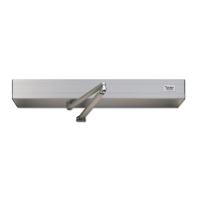
SW10 (Full Power) & SW19 (Low Energy)
INSTALLATION GUIDE
Surface Mounted Applications
(See APPENDIX for special notes regarding installation on fire rated doors)
!
PLEASE NOTE: NEW 35mm SPINDLE FOR PUSH APPLICATIONS REQUIRES DIFFERENT
HEADER MOUNTING HEIGHT
Question and Answer IconNeed help?

Do you have a question about the Tucker Auto-Mation SW19 and is the answer not in the manual?

Summary

Product Description and Specifications

Step 1: Header Installation

Step 2: Mount the Operator(s)

Step 3: Install Arm Assembly - Standard Application

Step 4: Optional Push Arm Installation with Increased Spring Tension

Step 6: Adjusting Mechanical Stops

Step 7: Set Dip Switches on I;O Board

Step 8: Wiring Connections

Step 9: Adjusting the Control

Step 10: 120 Volt AC Electrical Connection

Step 11: Power On and Tune-In

Troubleshooting

Appendix: Chain Tensioner Adjustment

Adjusting the Chain Tensioner

Procedure for adjusting chain tensioner to maintain proper operator function.

Appendix: Wiring Diagrams

Simultaneous Pairs Wiring

Wiring configuration for two doors operating simultaneously.

Electric Lock Application Wiring

Details on connecting an electric strike to the SW10 control unit.

Appendix: Fire Rated Door Application

Tucker Auto-Mation SW19 Specifications

General IconGeneral
BrandTucker Auto-Mation
ModelSW19
CategoryDoor Opening System
LanguageEnglish

Related product manuals