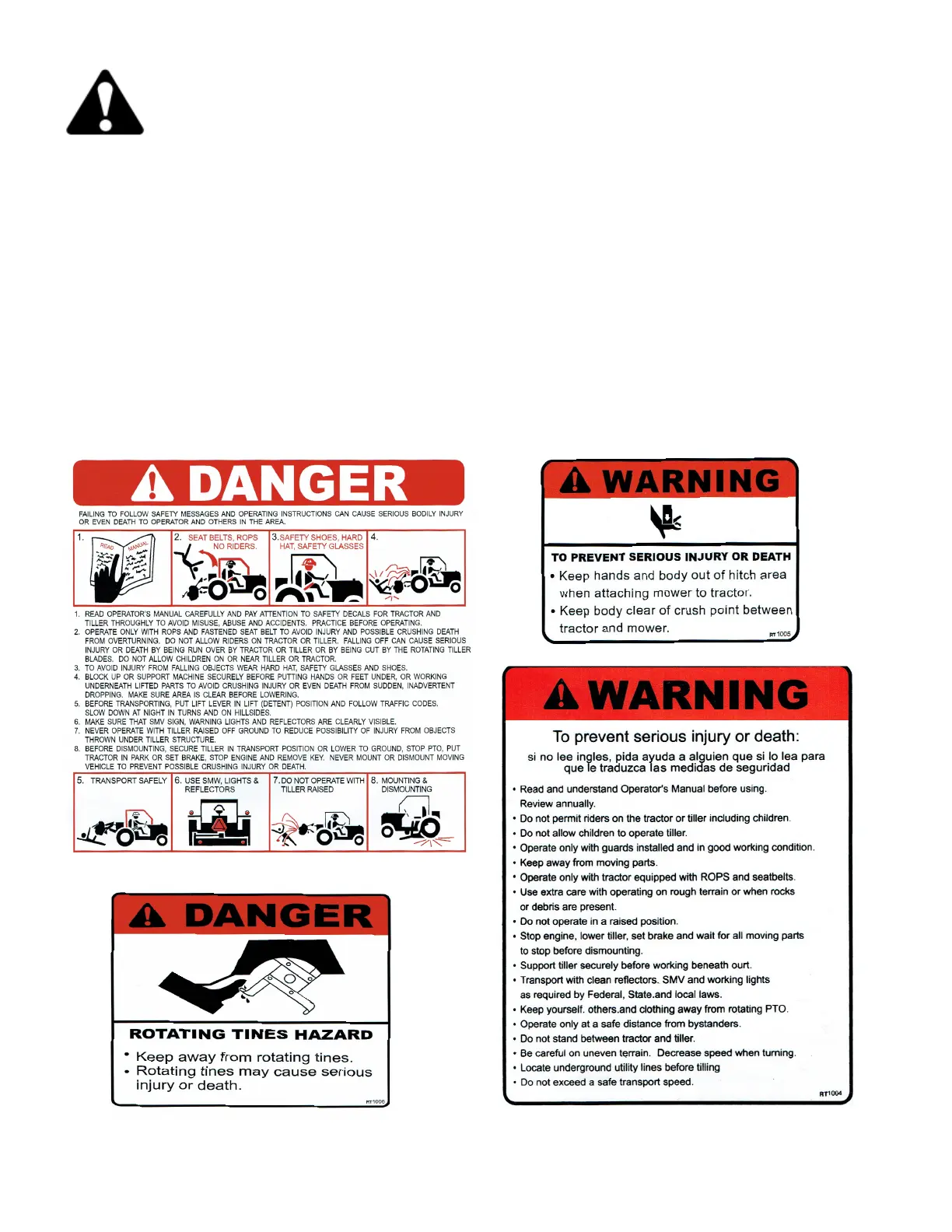
• Keep safety signs clean and legible at all times
• Replace safety signs that are missing or all have become illegible
• Replaced Parts that displayed a safety sign should also display current sign
• Safety signs are available from your Distributor or Dealer Parts Department or the factory.
How to Install Safety Signs
• Be sure that the installation area is clean and dry.
• Decide on the exact postion before you remove the backing paper
• Remove the smallest portion of the split backing paper.
• Align the decal over the specied area and carefully press the small portion with the exposed
sticky backing in place.
• Slowly peel back the remaining paper and carefully smooth the remaining portion of the decal in
place
• Small air pockets can be pierced with a pin and smoothed out using the piece of decal backing
paper.
Safety Decal Care
5 Safety Decal Care / Operation


 To Next Page