•Whentheunitisfullycharged,allpanellightswillstaylit.
•TheTumiMobilePowerPacktypicallychargesfromemptytofullinlessthanve(5)hours
•TheTumiMobilePowerPackcanberechargedforover500fullcycles,andhasanunlimitednumberofpartialrecharges.
•TheTumiMobilePowerPackretainsitspowerbetweencharges,typicallymorethan75%ofitschargefor30days.
charging usb Devices
TheTumiMobilePowerPackhasthecapacitytopoweruptotwo(2)devicesatthesametime:
•TheouterUSBoutputportchargesmostcell/smartphones(.5mAh).
•ThecenterUSBoutputportchargesmosthighpoweredtablets(2.1mAh)orregularUSBcell/smartphonesanddevices.
– To charge, attach your device’s USB cable to your device and the appropriate Tumi Mobile Power Pack output port.
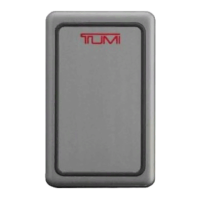
•PushthepowerbuttononthesideandtheTumilogoandpowerindicatorlightswillstaylitforve(5)secondsindicatingthe
unit is powering your device, then lights turn off to conserve power while continuing to charge your device.
•PowerlightsindicatetheamountofchargeremainingintheTumiMobilePowerPack
•Whilechargingyourdevice,youcanmanuallyturnoffthebatteryusingthepowerbutton.
•TheTumiMobilePowerPackhasaSmart-PowerManagementfeaturethatsenseswhenyourdevicehasreachedits100%
charge capacity and then shuts off the Tumi Mobile Power Pack to conserve power.
•WhenfullychargedtheTumiMobilePowerPackhasenoughpowertocharge:
–Mostcellphonesthree(3)timesinlessthanone(1)hour.
–Mostsmartphonestwo(2)timesinlessthantwo(2)hours.
–Mosttablets1-2timesandinlessthan3-4hours.
•TheincludedUSB/USBMicroPowerCablecanbeusedtopowerUSBMicropowereddevices.


 To Next Page