USING TUNAI BUTTON WITH ANDROID
There is no difference between using Mode A and Mode B for Android users.
(Mode A is the default shipped mode).
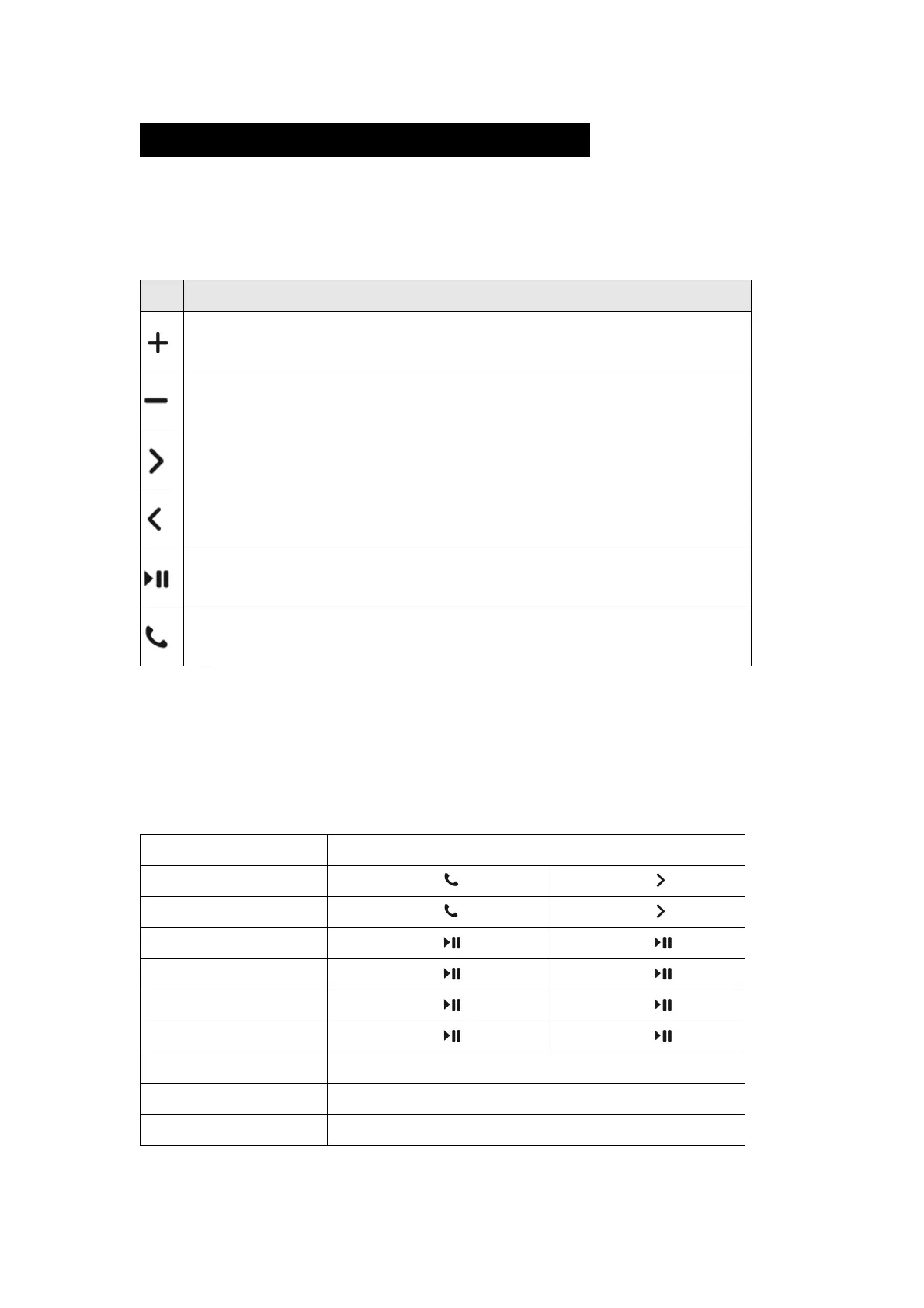
Key Description for Android Users
Short Press: Volume Up / Camera Shutter (When using camera)
Long Press: Home Key Shortcut
Short Press: Volume Down / Camera Shutter (When using camera)
Long Press: Mute
Short Press: Next Track
Long Press: Power Key
Short Press: Previous Track
Long Press: Keyboard Hide / Unhide
Short Press: Play / Pause
Short Press: Home key Shortcut
Note:
1. Compatibility: Due to the nature of Android OS, some functions are not
available for some devices. Below are some of the Android devices we
have tested:
Voice call key not supported
Voice call key not supported
Voice call key not supported


 To Next Page