ID-Lock Smart Installation guide - Ver. 1.3
15
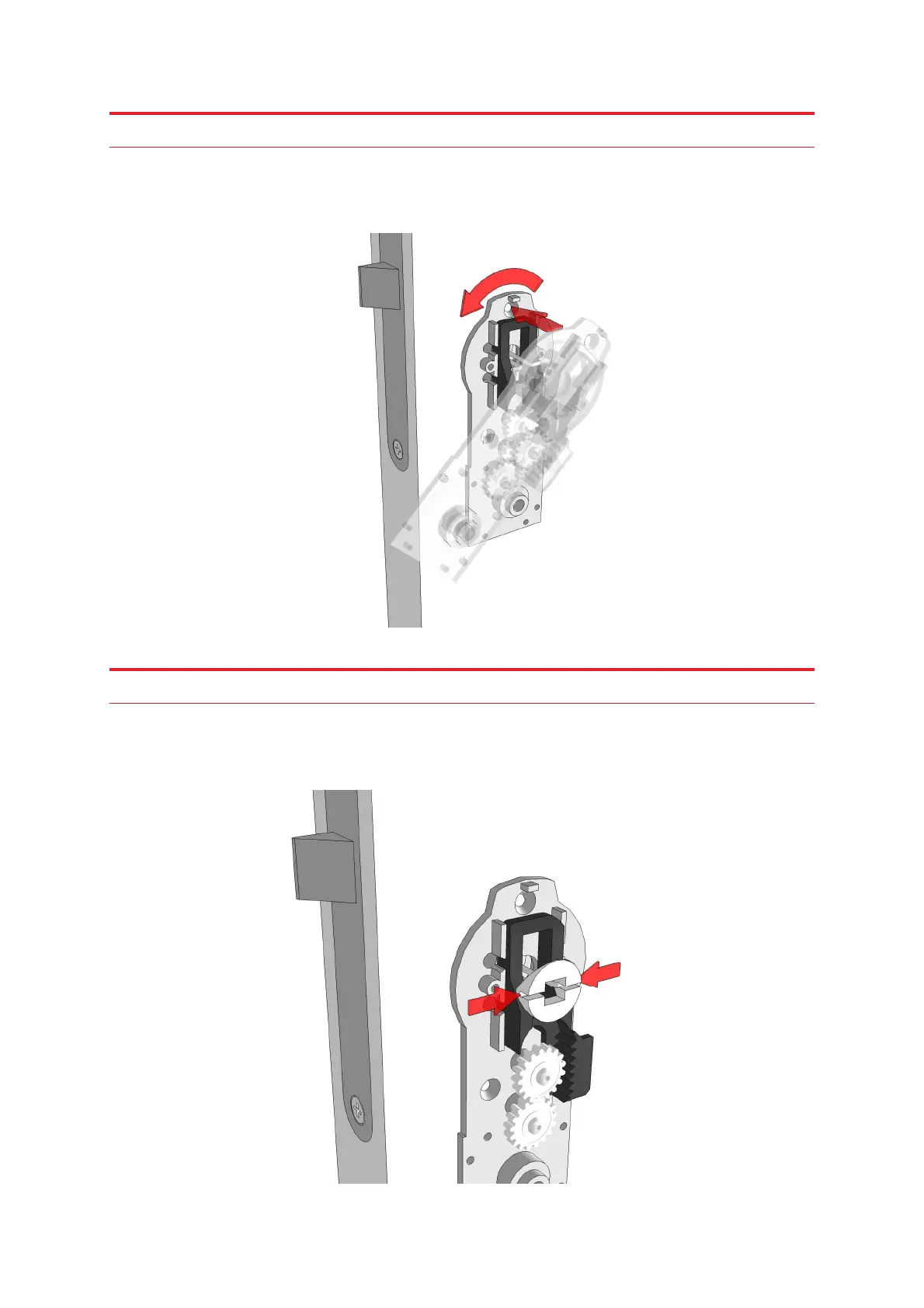
Step 9
Mount the satellite assembly from the inside of the door and let the steel wires go through
the tooth module. It is easier to do this if you first rotate the satellite assembly and then
adjust it to a vertical position.
Step 10
Mount the wire sleeve on the tooth module and make sure the steel wires are holding it.
Here you may want to use a screwdriver or other thin object and squeeze it slightly in
between the two steel wires.



 To Next Page