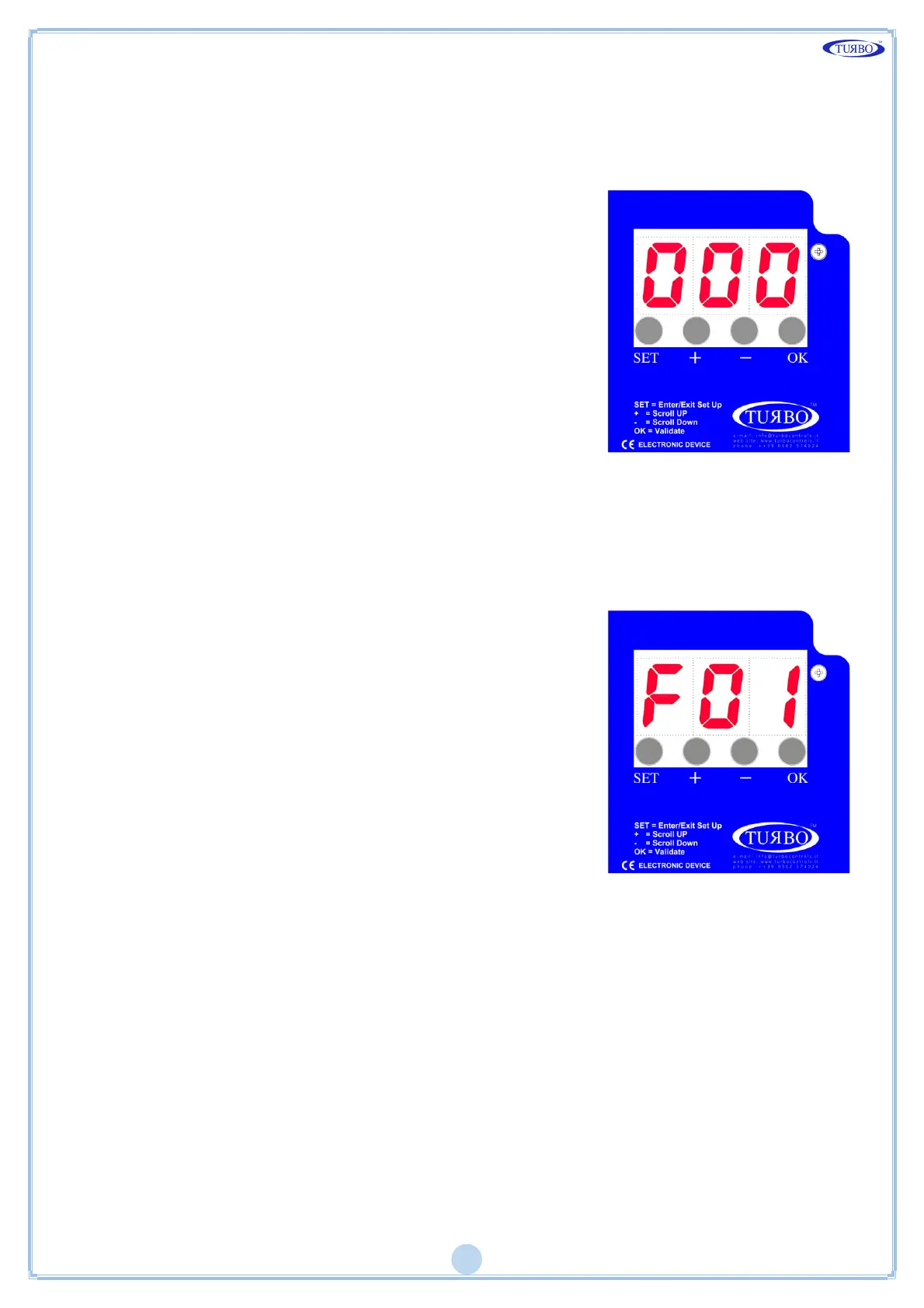
Display Keypad
There are four round buttons on the front panel for controlling the device and
turning on the display as shown in the following figure.
The SET button enables to enter and exit the
programming menu, and activate the manual
solenoid test by selecting function F06.
The + and – buttons enable to scroll functions
from F01 to Fxx. After entering one of the Fxx
functions use the OK button to select and then +
and - increase or decrease the values.
The OK button is used to confirm data and reset
alarms.
If the + button is pressed during ordinary
operation, the activity hour meter is displayed.
The - Button pressed during the ordinary
operation, displays the counts partial hours of
activity.
If the Micro SD Card is inserted, the pressing of the OK button enables safe
removal of the card.
Menu Diagram
Press SET, the letter F flashes.
Press + and – to select the required function.
Press OK to confirm.
Increase or decrease the value of the parameter.
Holding down the + and - buttons to scroll
through all the functions until the end of the left
or right.
Press OK to confirm and exit.
Press SET again to exit programming mode.


 To Next Page