12 TFM-AN/TFX-AN Series Quick Start Guide 13
Networked mains power
TFM-AN loudspeakers also facilitate networked transmission of mains power using power cables with Neutrik powerCON locking power connectors. To set up networked
mains power between TFM-AN loudspeakers, rst run a power cable terminating in a powerCON connector to the AC INPUT connector on the rear panel.
To power additional speakers downline, run power cables equipped with powerCON connectors at both ends from the rst speaker’s AC LINK OUTPUT to the AC INPUT of
the next TFM-AN loudspeaker in series.
The maximum number of linked systems depends on the AC supply voltage as well as the maximum current draw of the individual systems in the power chain.
When linking a power chain, make sure that the integrated connectors as well as the supplied AC mains cable are never overloaded. If you are uncertain how to calculate
the total current draw, please contact your dealer.
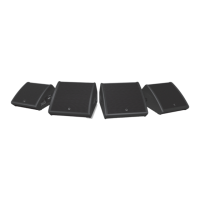
TFM-AN speakers powered in series
TFM-AN/TFX-AN DSP Menu Structure
Fullrange Function
PROCESS
EQ
None Sets the frequency response to the default setting.
Vocal Sets the frequency response to give an ideal monitor speaker for vocals.
Speech Sets the frequency response for optimal speech intelligibility.
Playback Sets the frequency response ideal for music playback.
User Lets you dene your own frequency response setting by entering the corresponding sub-menu.
XOVER
None Unit is set for default full-range / subwoofer reproduction.
HP 120 Hz Preset with 120 Hz, 24 dB/octave lter for crossover between subwoofer and full-range speakers.
HP 100 Hz Preset with 100 Hz, 24 dB/octave lter for crossover between subwoofer and full-range speakers.
User User crossover sub menu for combination with other full-range or subwoofer speaker systems.
Sub Menu
Freq
Select the desired crossover frequency:
Fullrange systems: 75 Hz to 400 Hz.
Phase Adjust the absolute phase (0° or 180°).
FBQ
Auto
Automatically sets as many lters as required. Whenever a new feedback frequency is discovered,
the rst lter will be released to attenuate the new frequency, and so forth.
Single Activates the FBQ (feedback detection) functionality, up to 8 feedback lters.
Learn
Automatic procedure which searches for feedback frequencies and locks settings after all
8 lters have been set.
WARNING!
Please use ear protection during this procedure. The feedback signal may approach
the system’s maximum level, which may cause hearing damage!
Reset Resets all lters.
SETUP
(page 1)
INPUT
Input
Lets you choose the audio input source. Choose between Local (analogue Input) or ULTRANET
(e.g., P16 monitoring system or M32 audio via ULTRANET).
Volume
Adjusts the input gain. With ULTRANET digital inputs over a range from +10 dB to -30 dB.
With analogue input from 0 dB to -∞ dB.
POSITION
Stand For positioning the speaker on a pole mount stand (full-range) or on the oor (subwoofer).
Floor For positioning the speaker on the oor as a monitor speaker (wedge).
Corner
For positioning the speaker in a corner next to the ceiling (xed install); For positioning the
speaker in a corner (subwoofer).
DELAY
Delay Adjusts the amount of delay (max 300msec = 103.08m or 338.19 feet).
Unit Selector between msec, meter and feet.
LIMITER
Limit
Adjust the limiter threshold for the input signal (from OFF down to -30 dB). This threshold
adjustment allows you to set a max output power which is below the speaker system’s
rated max output.


 To Next Page
 Loading...