II.
Driver Interface Introduction
1. Control Interface
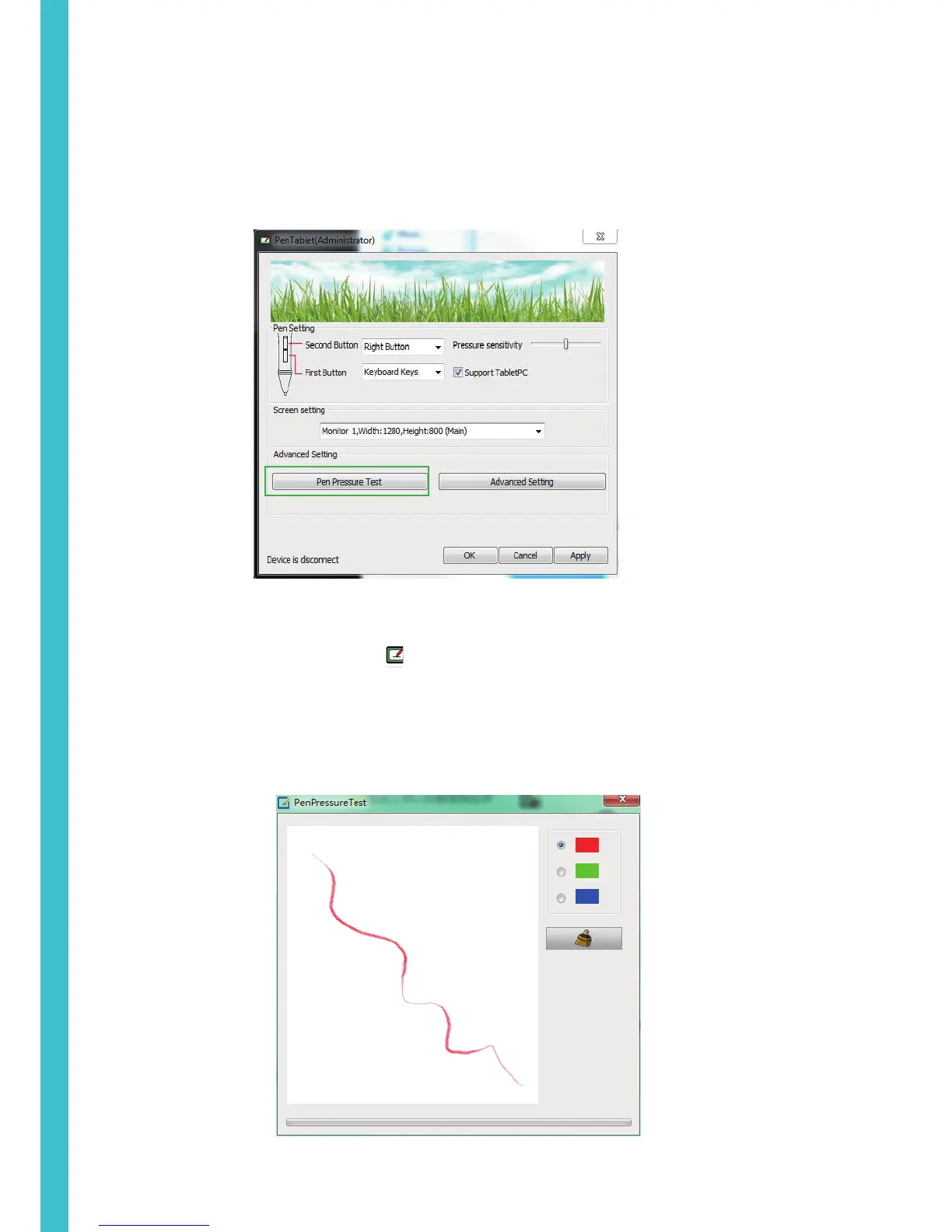
When you double click the driver tablet icon ( ) which normally appears in the system tray at the corner of the screen,
you will see the control panel (pictured above). It will display driven-related information.
Controlling the panel by digital graphic tablet can set up functions for the button of the digital pressure-sensitive pen,
regulate the pen’s pressure sensitivity.
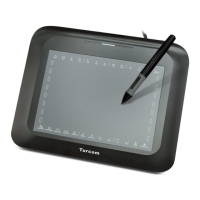
1.1 Digital Pen Pressure Sensitivity Test
Click Pen Pressure Test into Pressure Sensitivity Testing
4


 To Next Page