Step 3: How to Insert Your SIM Card into the 4G Router
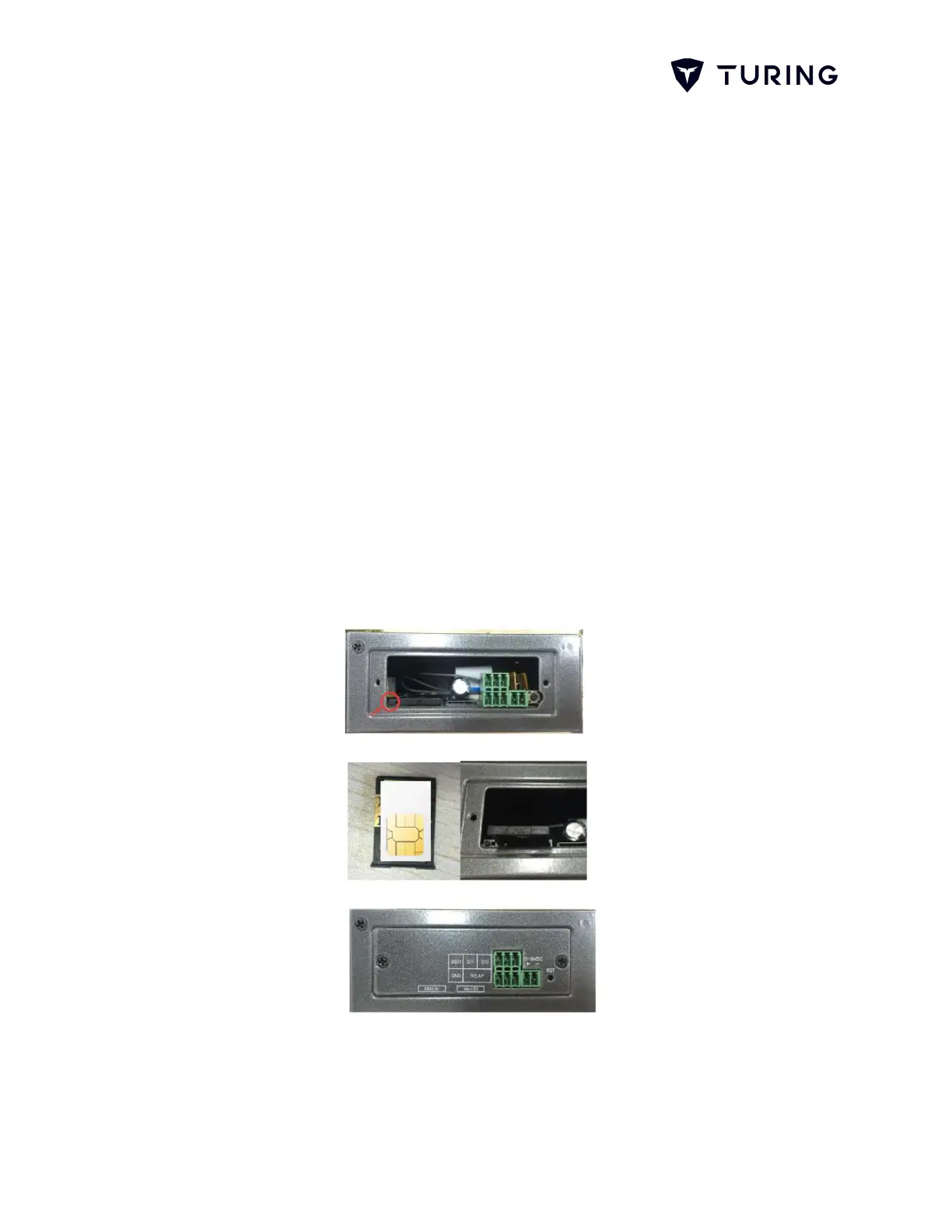
1. Press the out button of the SIM/UIM card outlet with a needle
object, Then the SIM/UIM card sheath will flick out at once
2. Put the SIM/UIM card into the card sheath (Pay attention to the
side that has a metal point outside), and insert the card sheath
into the SIM/UIM card outlet.
3. Put the cover back, the cover will be found in the accessory
bag.
Note: Please use Standard Size SIM Card. In most cases, the Router
would automatically connect to the network with a SIM card plug in. If not,
you may need to login to the router and manually configure the APN
setting.
Note: Please refer to another Carrier Guidance for more information.
Fig. 3.1 Inserting Your SIM Card


 To Next Page