EasyManua.ls Logo

Turnigy 9XR - User Manual

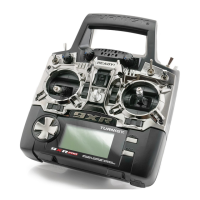
Turnigy 9XR
37 pages
Print Icon
To Next Page IconTo Next Page
Loading...
Turnigy 9XR
User Manual
Question and Answer IconNeed help?

Do you have a question about the Turnigy 9XR and is the answer not in the manual?

Summary

How it Works

Editing and Saving Data

Main Screen Interface

General Settings Configuration

Radio Setup Options

Settings related to the transmitter's basic functions and configuration.

Calibration Procedure

Steps to calibrate the transmitter's control inputs.

Radio Setup Details

Analog Input Calibration

Model Specific Setup

Model Selection and Management

Choosing, copying, and organizing different model memories.

Model Configuration Options

Lists key model setup menus like Heli, Expo/Dr, Mixer, Limits, etc.

Model Selection Interface

Model Setup - Basic Configuration

Model Setup - Advanced Functions

Heli Setup Configuration

Expo and Dual Rate (D;R) Settings

Mixer Functionality

Main Mixer Screen Overview

Display of current channel mixes and how to edit them.

Edit Mix Details

Mix Source Options

Selecting inputs like sticks, pots, PPM, or other mixes for a channel.

Mix Weight and Offset Configuration

Defining the magnitude and bias of an input's effect on a channel.

Advanced Mix Options

Channel Limits Configuration

SubTrim (Center Point) Adjustment

Fine-tuning the center position of servos using subtrim.

Min;Max Endpoint Setting

Defining the travel limits for each servo.

Channel Reverse Settings

Custom Curve Programming

Custom Switches Logic

Safety Switches Configuration

Advanced User Firmware Operations

Building and Flashing Firmware

Steps to compile and install custom firmware onto the transmitter.
Firmware Development Commands

Turnigy 9XR Specifications

General IconGeneral
BrandTurnigy
Model9XR
CategoryReceiver
LanguageEnglish

Related product manuals