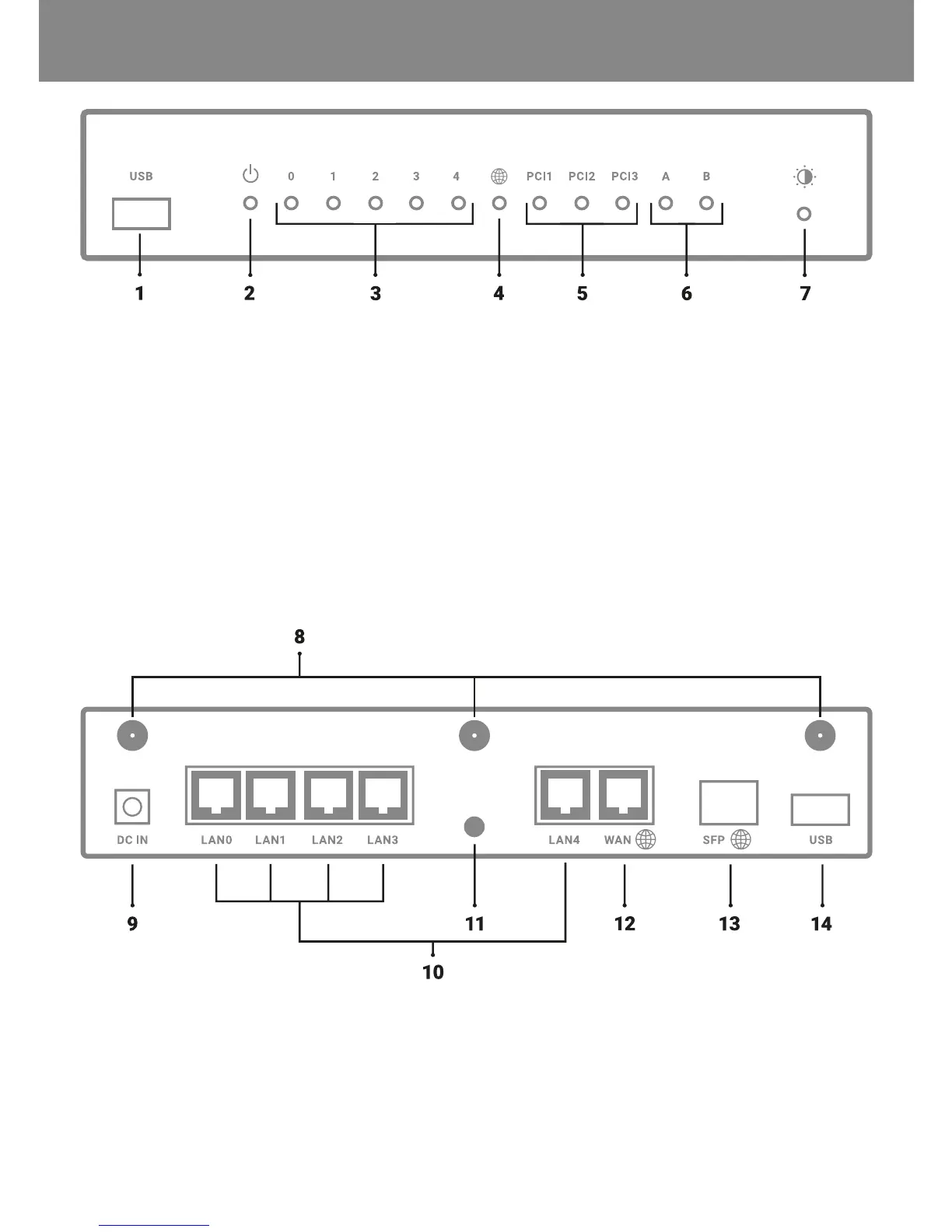
FRONTPANEL
1) USB 3.0
2) ON/OFF indicator
3) LAN interface activity indicator
4) WLAN interface activity indicator
REAR PANEL
8) Wi-Fi antenna connectors
9) Power connector
10) LAN interface port
5) Extension cards activity indicators
Factory settings (Wi-Fi model):
• PCI 1 – 5 GHz Wi-Fi
• PCI 2 – 2,4 GHz Wi-Fi
• PCI 3 – unassigned
6) User-congurable indicators
7) LED brightness adjustment button
11) RESET button
12) WAN interface port
13) SFP interface port
14) USB 3.0
DESCRIPTION OF CONNECTORS AND CONTROLS EN / 14



 To Next Page