8
Go to Table of Contents
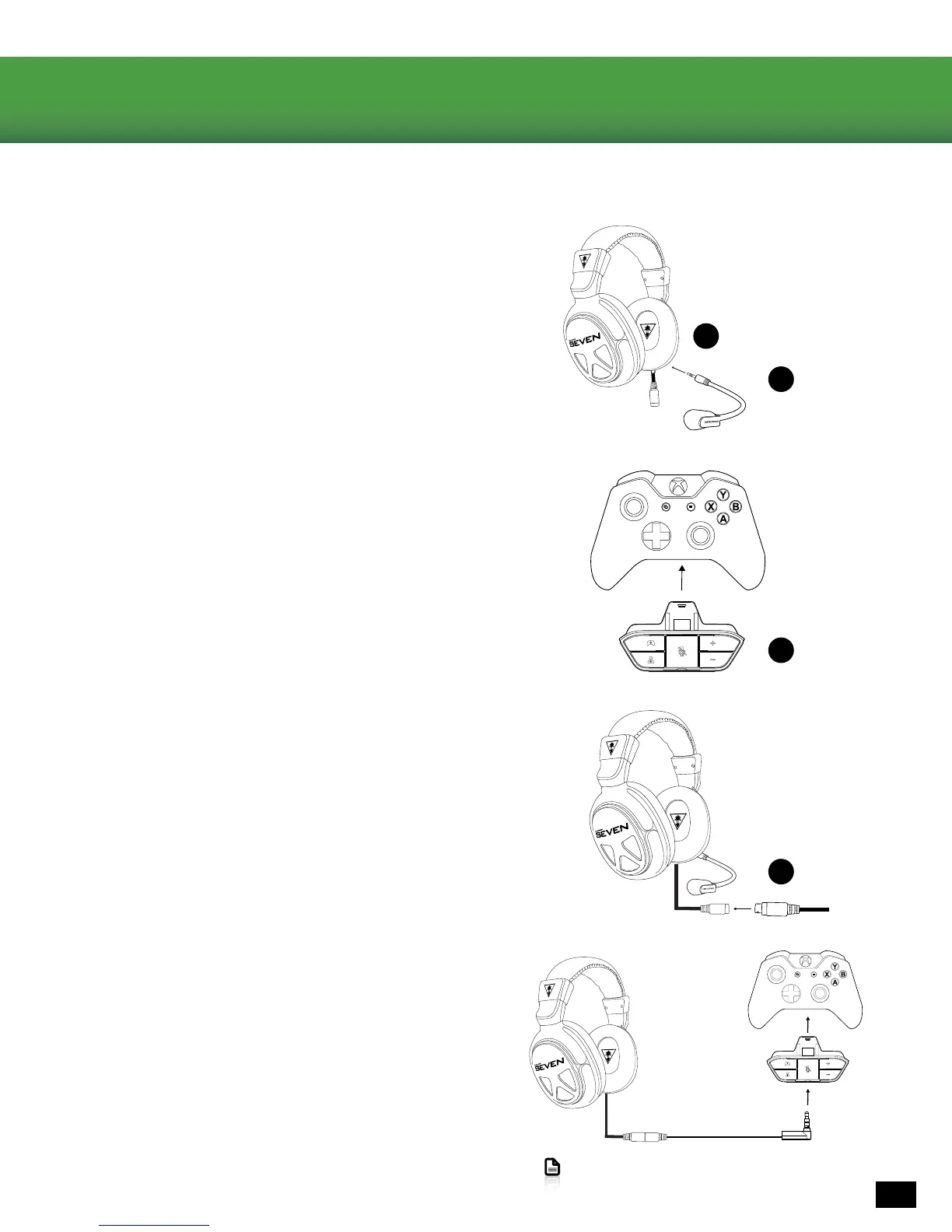
Setup and Connections: Xbox One Consoles
1.Insertthemicrophoneboomintothejackontheleftearcupof
the headset. Use the keyed plug to line up the Mic Boom in the
correct orientation.
2.InserttheXboxOneAudioAdapterintotheXboxOneController.
Controller not included
3. Connect the Headset Breakaway Cable to the 6-pin connector
hanging from the XO SEVEN Headset
4. Insert the cable from your Headset Breakaway Cable into
the headset jack of the Xbox One Audio Adapter.
NOTE:Forreliablesound,conrmthatallconnections
arermlyinserted.
Connecting to the Xbox One controller
A
E
B
C














 To Next Page