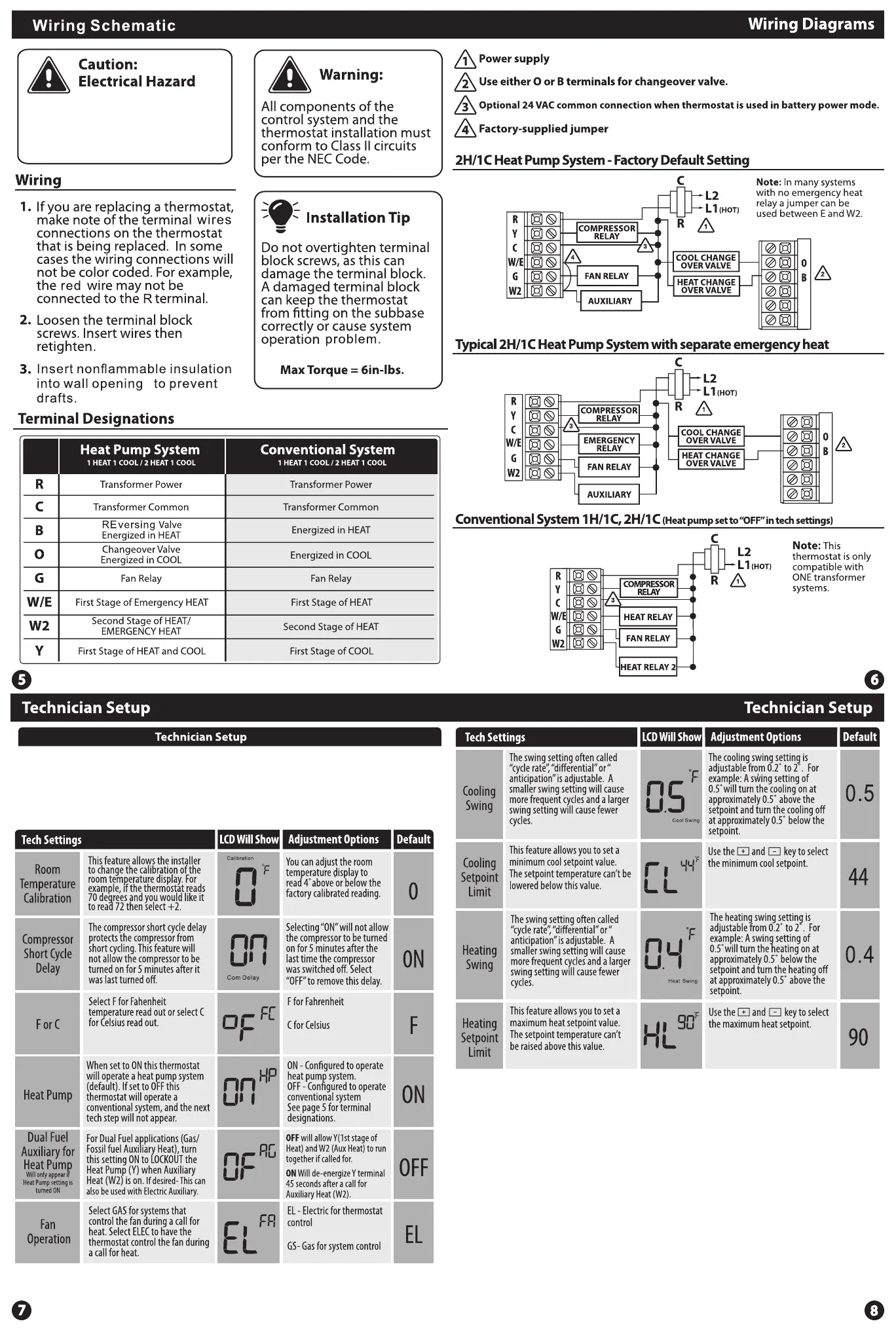
Disconnected the power before
installation.Fail to do so ,it can
cause electrical shock or
equipment damage.
1. Select the System Switch on OFF position to start the Technician setup
2. Press and hold the + and - buttons together for 3 seconds to get into the setup menu
3. Use the + or - buttons to change the setting for that step, and then press the +
and - button simultaneously to move to next step.
To exit setup mode, slide the system switch to different position or wait
approximately 20 seconds.


 To Previous Page