25
26
8. Troubleshoot and Solution(FAQ)
Question 1:
Can I unlock the door with my fingerprint for the first time?
Answer: After you finish the installation and power on the lock with
4pcs AAA alkaline battery and you can press any fingerprint to
unlock the door, to ensure you can access the door before you
configure the lock with mobile APP.
Question 2: What kind of battery shall we use?
Answer: This lock is highly recommended to be powered on by 4pcs
AAA alkaline battery, do not use any other batteries or other
Zn/Mn batteries!
Question 3: Is the lock auto locked?
Answer: After you unlock the door one time, the door will wait for the
lock after 5 seconds, close the "Front-panel" to lock.
Question 4:
I bought one lock for my friend, how can he add the lock
with his mobile?
Answer: Please remove this device from your mobile App you can
click the “Remove Device” and choose the “Disconnect and Wipe
Data" to reset the lock, or refer to page 5 for more options.
Question 6: Is it possible to remotely unlock my door?
Answer: One extra gateway is required for remote unlock, please turn
to our sale service line, after configuration, you can press the icon on
the app to remote unlock.
Question 5:
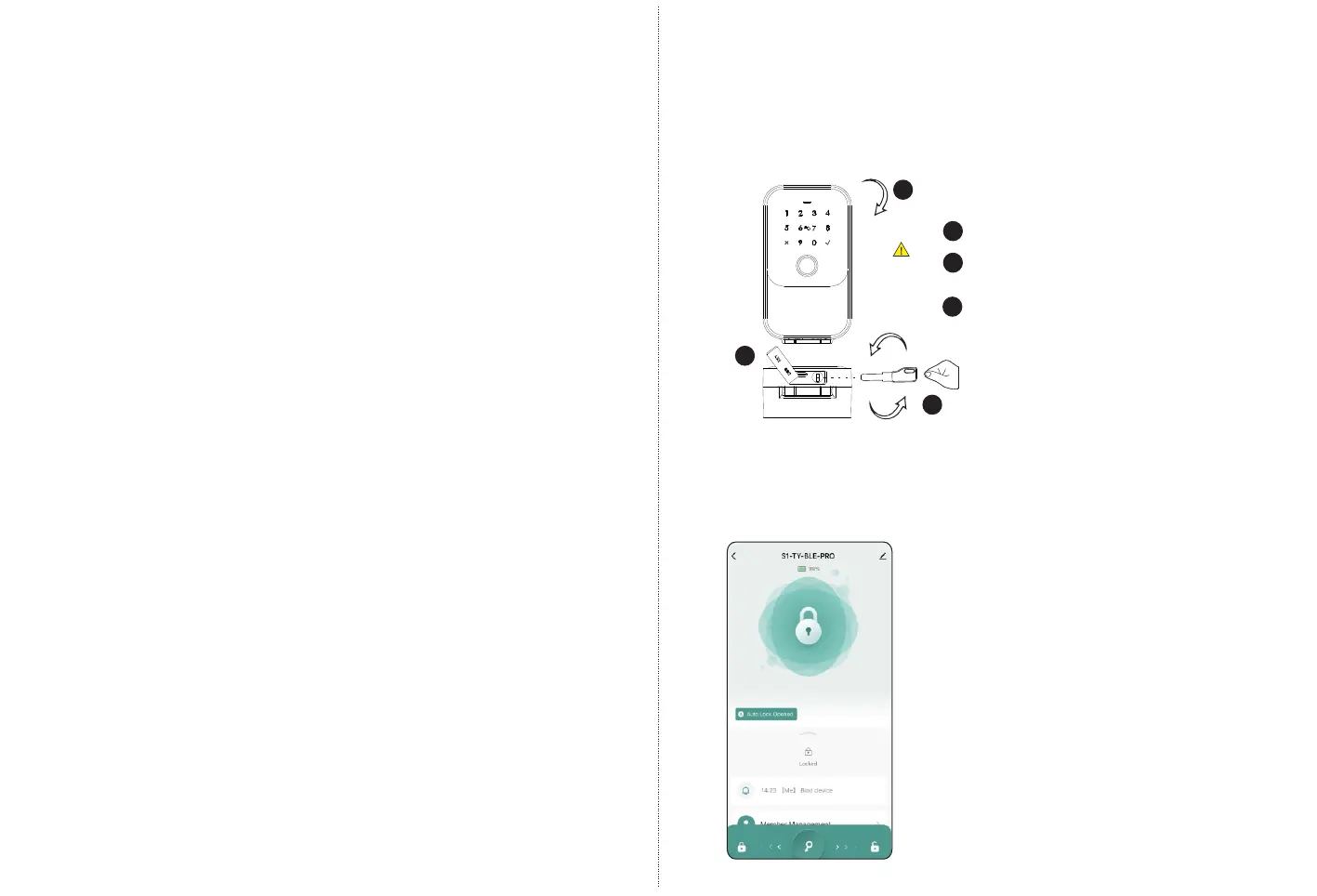
I insert the manual key and turn but I can not unlock the door.
Answer: Please insert the manual key and Opening and closing panel
unlocking, refer to the photo below:
3
2
1
1
2
3
Remove the silicone plug.
Insert the key into the keyhole
and turn it clockwise.
Pull open the panel to unlock.


 To Previous Page
 Loading...