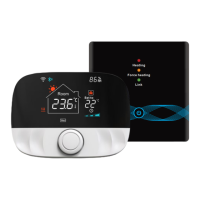
WiFi Touch MCS 750
BENUTZERHANDBUCH
DE
Inhalt
Einführung .............................................................. 2
Lieferumfang .......................................................... 2
Besondere Merkmale ............................................. 2
Registrierung Tuya Smart App ...............................2
App herunterladen ..........................................2
Konto registrieren ...........................................2
Wichtige Hinweise vor der Installation .................2
Montage ..................................................................3
Installation Bodentemperaturfühler..............3
Thermostat anschließen ................................. 3
Thermostat einbauen .....................................3
Thermostat-Installation bei mehreren
Heizmatten ......................................................4
Übersicht Displaystruktur ...................................... 4
Bedienung - Grundfunktionen ............................... 4
Ein- und Ausschalten ....................................... 4
Tastensperre aktivieren ..................................4
Ruhemodus Display ........................................4
Betriebsmodus wählen ...................................4
Betriebsarten..........................................................4
Komfortmodus ................................................4
ECO Modus ....................................................... 4
Programmmodus ............................................5
Urlaubsmodus ................................................. 5
Einstellungen ..........................................................5
F1 - Datum und Uhrzeit einstellen ..................5
F2 - Programmmodus einstellen ....................5
F3 - Betriebszeit ablesen ................................. 5
F4 - Erweiterte Einstellungen .......................... 5
F5 - WiFi-Verbindung .......................................7
Vorgaben für die WLAN-Verbindung,
Automatisches Verbinden mit Bluetooth,
Manuelles Verbinden
Alarmhinweise und Fehlerbehebung .................... 7
Tuya Smart App-Navigation .................................. 8
Technische Daten ...................................................8
Beanstandungen....................................................8
Garantie .................................................................. 8
Garantieschein .......................................................9
INSTRUCTIONS FOR USE AND INSTALLATION
EN
Content
Introduction ..........................................................10
Scope of delivery ..................................................10
Special features ....................................................10
Registration Tuya Smart app ...............................10
App download ...............................................10
User account registration .............................10
Important notes before installation .................... 10
Installation ...........................................................11
Floor temperature sensor installation .........11
Connect the thermostat ................................ 11
Mounting the thermostat ..............................11
Thermostat installation for two or more
heating mats .................................................12
Display structure ..................................................12
Operation - basic functions .................................12
Switching ON/OFF .........................................12
Activate key lock ............................................ 12
Display sleep mode .......................................12
Select operating mode ..................................12
Operating modes .................................................12
Comfort mode................................................12
ECO mode ......................................................12
Program mode ..............................................13
Holiday mode ................................................13
Settings ................................................................. 13
F1 - Date and time setting ............................. 13
F2 - Program mode setting ...........................13
F3 - Operation time reading..........................13
F4 - Advanced setting ....................................13
F5 - WiFi connection ......................................15
WiFi connection guidelines,
Automatic Add method via Bluetooth,
Manual Add method
Alarm indication and troubleshooting ................15
Tuya Smart App navigation ................................. 16
Technical data ...................................................... 16
Claims ...................................................................16
Warranty ............................................................... 16
Guarantee card ....................................................17
INSTRUCTIONS D'INSTALLATION ET D'UTILISATION
FR
Sommaire
Introduction ..........................................................18
Contenu de la livraison ........................................18
Caractéristiques particulières .............................18
Enregistrement de l'application Tuya Smart ...... 18
Télécharger l'application ..............................18
Enregistrement compte d'utilisateur ........... 18
Remarques importantes avant l'installation .....18
Installation ...........................................................19
Installation du capteur de tempér. au sol .... 19
Connectez le thermostat ............................... 19
Montage du thermostat ...............................19
Installation du thermostat pour deux ou
plusieurs nattes chau antes ........................20
Structure de l'écran..............................................20
Utilisation - fonctions de base ............................. 20
Mise en marche/arrêt .................................... 20
Activer le verrouillage des touches ...............20
Mode veille d'écran .......................................20
Sélection du mode de fonctionnement ........ 20
Modes de fonctionnement ...................................20
Mode Confort .................................................20
Mode ECO ....................................................... 20
Mode Programme .........................................21
Mode vacances ..............................................21
Paramètres ........................................................... 21
F1 - Régler la date et l'heure ......................... 21
F2 - Régler le mode programme ................... 21
F3 - Lire le temps de fonctionnement ...........21
F4 - Paramètres avancés ............................... 21
F5 - Connexion WiFi .......................................23
Guide d'utilisation Wi , connecter
automatiquement avec Bluetooh,
connecter manuellement
Indications d'alarme et dépannage....................23
Navigation l'app Tuya Smart ...............................24
Données techniques ............................................. 24
Réclamations .......................................................24
Garantie ................................................................ 24
Certi cat de garantie ........................................... 25


 To Next Page
 General