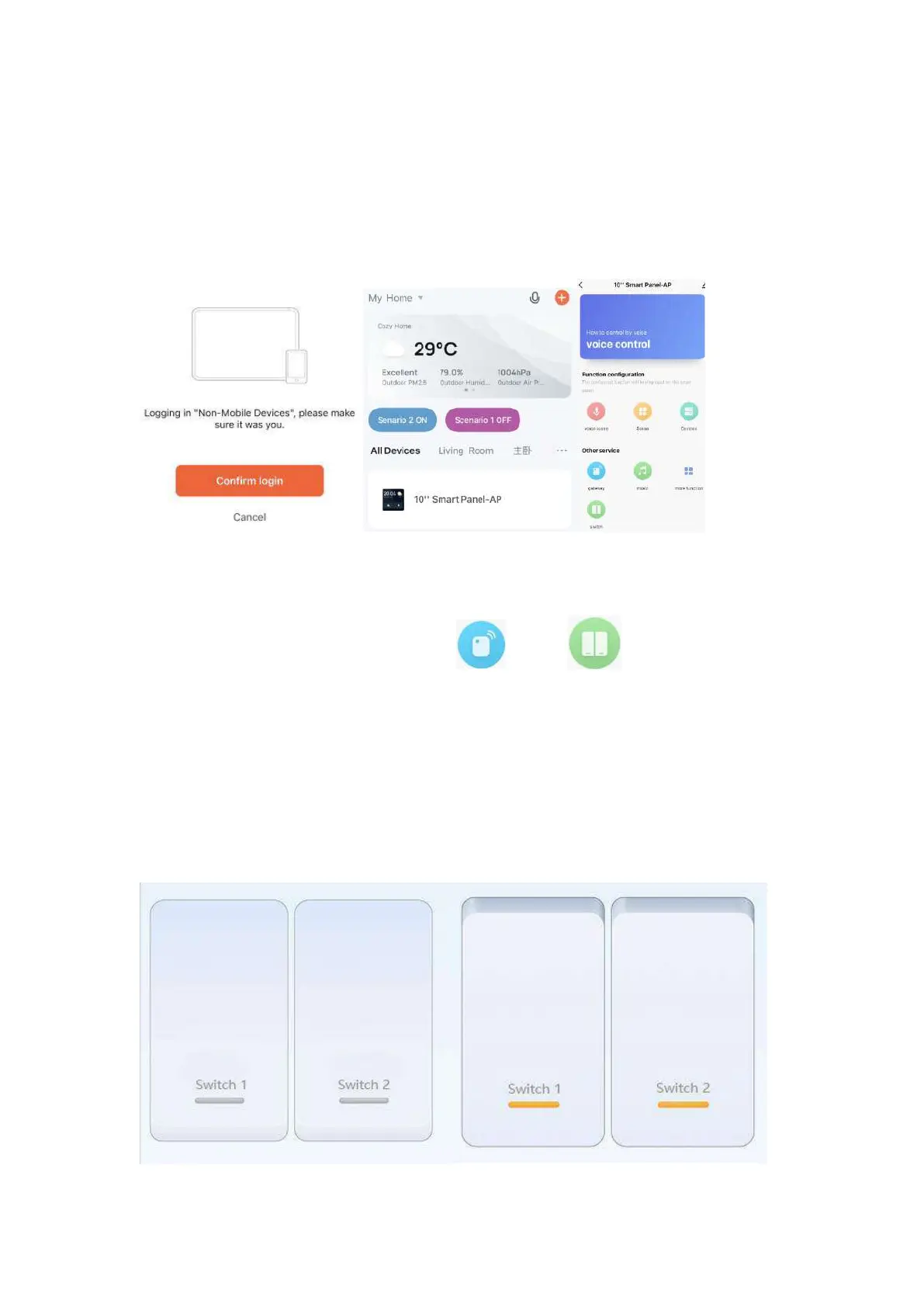
(4)Scan the QR code on the screen of the product to add it into
the Tuya App. You will find a 10'' panel icon in your App.
(5) Enter the panel interface in the Tuya App, you will see the
gateway and switch icons like and . Click the
switch icon to control 2 local switches (load of each switch for
lamps should be no more than 200W.). It means the switch is
off when the icon is in grey, and the switch is on when it is in
orange.


 To Next Page