Need help?
Do you have a question about the TV Ears 5.0 and is the answer not in the manual?
Safety guidelines for handling and operating the TV Ears system to prevent harm or injury.
Welcome message and outline of the user manual's content and purpose.
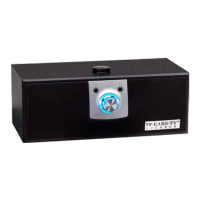
Visual representation of the speaker unit, identifying its parts and ports.
Visual representation of the transmitter unit, identifying its indicators and ports.
List of all items provided in the TV Ears system package.
Guidance on positioning the transmitter for optimal infrared signal transmission to the receiver.
Instructions for positioning and connecting power to the transmitter unit.
Steps for connecting the transmitter to audio sources using an optical digital audio cord.
Instructions for connecting the transmitter using an RCA analog audio cord.
Steps for connecting the transmitter using a 3.5mm analog audio cord.
Instructions for connecting the transmitter using a coaxial digital audio cord.
Guidance on positioning and powering the wireless speaker for effective use.
How to operate the speaker, control volume, and use music playback features.
Explanation of the transmitter's lights and their meanings for connectivity and charging.
Guidelines for cleaning, protecting the power cord, and general product care.
Solutions for speaker muting and unintended audio source playback.
Explanation of the 2.3MHz frequency used for signal transmission.
Terms and conditions of the product's five-year limited warranty.
Declarations regarding TV Ears, CE conformity, and WEEE disposal.
Detailed technical data for the speaker, transmitter, and overall system.
Overview of different TV Ears 5.0 models available, including their features.
Contact information, including website, phone numbers, and mailing address for assistance.
Important safety precautions specifically for the TV Ears 5.0 Headset.
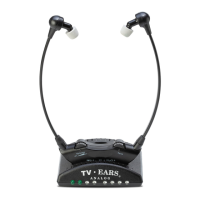
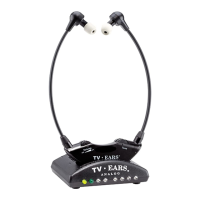
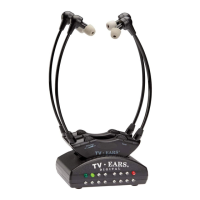
Visual identification of the headset's parts, including ear tips and controls.
Guidance on positioning the transmitter for best signal reception by the headset.
Step-by-step instructions for correctly charging the headset.
How to put on, remove, turn on/off, and adjust the headset's volume and tone.
Method for adjusting the headset's pressure and ensuring a comfortable fit.
Solutions for common problems related to headset charging and indicator lights.
Specifications for the headset, including operating time, power, weight, and dimensions.

 To Next Page
 General