Tips – PLUG IN AUDIO CORD
Tip 1
Satellite or Cable Box to DVD or VCR
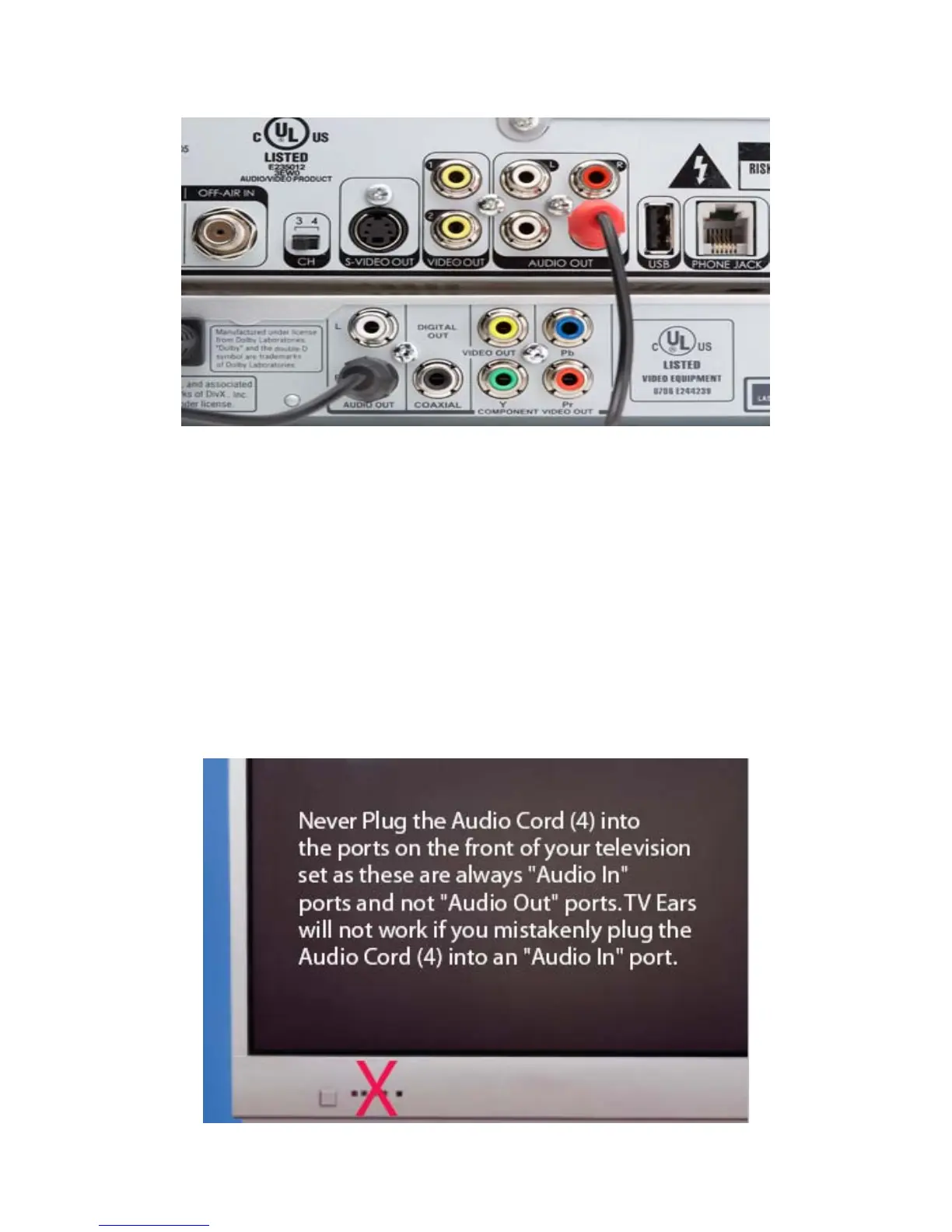
If you chose to plug the Audio Cord (4) into the back of your satellite box or cable box and
you want TV Ears to also work with your DVD or VCR, then plug the RED wire of the Audio
Cord (4) into the "Audio Out" of your satellite or cable box and BLACK wire of the Audio
Cord (4) into the "Audio Out" port on the back of your DVD or VCR.
Tip 2



 To Next Page