EasyManua.ls Logo

TVS iQube Electric S - User Manual

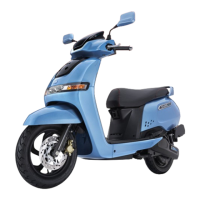
TVS iQube Electric S
84 pages
Print Icon
To Next Page IconTo Next Page
Loading...
Question and Answer IconNeed help?

Do you have a question about the TVS iQube Electric S and is the answer not in the manual?

Summary

FOREWORD

CONTACTS FOR SUPPORT

INTRODUCTION TO TVS IQUBE ELECTRIC S

UNIQUE FEATURES OF TVS IQUBE ELECTRIC S

INSTRUMENT CLUSTER AND SUSPENSION

Digital cluster, adjustable shock absorbers, telescopic front fork.

STORAGE, BRAKING, AND LIGHTING

Under-seat storage, parking brake, LED illumination, alloy wheels, SBT.

CONVENIENCE AND INDICATOR FEATURES

Side stand, flip key, malfunction alerts, textured board/mat.

SMART PHONE CHARGER AND ACCESSORIES

On-board phone charger and other accessories.

SAFETY INFORMATION

Safety Precautions and Warnings

Alerts on potential hazards, special procedures, and warnings for safe operation.

VEHICLE IDENTIFICATION AND PERFORMANCE

Vehicle Performance Variation

How temperature affects scooter performance and potential indicators.

Vehicle Identification Number

Location and importance of frame and traction motor serial numbers for identification.

VEHICLE COMPONENTS OVERVIEW

Component Identification by View

Identification of key components from left, right, front, rear, and top views.

CONTROLS AND OPERATION

Ignition, Steering Lock, and Handlebar Controls

Operation of ignition, steering lock, and handlebar switches.

Parking, Driving, and Riding Modes

Procedures for parking, driving, and selecting riding modes.

UTILITY, ACCESSORIES, AND CHARGING

Storage, Tool Kit, and Phone Charger

Details on utility box, bag hooks, tool kit, and smart phone charger.

Vehicle Charging System

Information on the charger socket and the process of charging the vehicle.

INSTRUMENT CLUSTER FUNCTIONALITY

Cluster Overview and Navigation

Introduction to cluster functions like documents, navigation, and geofencing.

Indicators, Modes, and HMI Interface

Explanation of tell-tales, indicators, modes, and HMI operation.

Connected Drive Screen Features

Information on call/message notifications and turn-by-turn navigation.

BATTERY STATUS AND SYSTEM SETTINGS

Battery Charge Level and DTE

Understanding battery status and distance to empty indicators.

General Settings Configuration

Options for date, display, sound, and adaptive modes.

MOBILE APP INTEGRATION AND CONNECTIVITY

Bluetooth Pairing and App Login

Steps to pair the smartphone and login to the TVS app.

Notifications, Music, and Voice Assist

Handling notifications, music playback, and voice commands.

MY VEHICLE SETTINGS AND DIAGNOSTICS

Error List and Warning Messages

List of error codes and their descriptions for vehicle diagnostics.

Digital Documents, TPMS, and Trip Meter

Managing digital documents, checking tyre pressure, and trip meter data.

Software Update Procedure

Guide for updating the vehicle's software over-the-air.

PRIVACY AND PROFILE MANAGEMENT

Privacy Settings

Options to manage notifications and location services privacy.

Profile Settings and Battery Warnings

Viewing profile details and understanding battery critical condition alerts.

SMARTCONNECT ECOSYSTEM

Bluetooth Pairing and SmartConnect Features

Initial Bluetooth connection and overview of SmartConnect functionalities.

Voice Assistant Commands

List of voice commands for navigation, vehicle status, and other functions.

ALEXA INTEGRATION

Alexa Skill Commands and Keywords

Utterances to interact with Alexa for vehicle information.

MAINTENANCE AND CARE

Maintenance Schedule and Self-Procedures

Guidelines for periodic servicing, brake adjustment, and tyre care.

WARRANTY INFORMATION

Warranty Coverage, Exclusions, and Parts

Details on what is covered, excluded, and specific parts warranty.

GPS Device Warranty

Warranty terms specific to the GPS device.
TECHNICAL SPECIFICATIONS

GENERAL INFORMATION

Summary

FOREWORD

CONTACTS FOR SUPPORT

INTRODUCTION TO TVS IQUBE ELECTRIC S

UNIQUE FEATURES OF TVS IQUBE ELECTRIC S

INSTRUMENT CLUSTER AND SUSPENSION

Digital cluster, adjustable shock absorbers, telescopic front fork.

STORAGE, BRAKING, AND LIGHTING

Under-seat storage, parking brake, LED illumination, alloy wheels, SBT.

CONVENIENCE AND INDICATOR FEATURES

Side stand, flip key, malfunction alerts, textured board/mat.

SMART PHONE CHARGER AND ACCESSORIES

On-board phone charger and other accessories.

SAFETY INFORMATION

Safety Precautions and Warnings

Alerts on potential hazards, special procedures, and warnings for safe operation.

VEHICLE IDENTIFICATION AND PERFORMANCE

Vehicle Performance Variation

How temperature affects scooter performance and potential indicators.

Vehicle Identification Number

Location and importance of frame and traction motor serial numbers for identification.

VEHICLE COMPONENTS OVERVIEW

Component Identification by View

Identification of key components from left, right, front, rear, and top views.

CONTROLS AND OPERATION

Ignition, Steering Lock, and Handlebar Controls

Operation of ignition, steering lock, and handlebar switches.

Parking, Driving, and Riding Modes

Procedures for parking, driving, and selecting riding modes.

UTILITY, ACCESSORIES, AND CHARGING

Storage, Tool Kit, and Phone Charger

Details on utility box, bag hooks, tool kit, and smart phone charger.

Vehicle Charging System

Information on the charger socket and the process of charging the vehicle.

INSTRUMENT CLUSTER FUNCTIONALITY

Cluster Overview and Navigation

Introduction to cluster functions like documents, navigation, and geofencing.

Indicators, Modes, and HMI Interface

Explanation of tell-tales, indicators, modes, and HMI operation.

Connected Drive Screen Features

Information on call/message notifications and turn-by-turn navigation.

BATTERY STATUS AND SYSTEM SETTINGS

Battery Charge Level and DTE

Understanding battery status and distance to empty indicators.

General Settings Configuration

Options for date, display, sound, and adaptive modes.

MOBILE APP INTEGRATION AND CONNECTIVITY

Bluetooth Pairing and App Login

Steps to pair the smartphone and login to the TVS app.

Notifications, Music, and Voice Assist

Handling notifications, music playback, and voice commands.

MY VEHICLE SETTINGS AND DIAGNOSTICS

Error List and Warning Messages

List of error codes and their descriptions for vehicle diagnostics.

Digital Documents, TPMS, and Trip Meter

Managing digital documents, checking tyre pressure, and trip meter data.

Software Update Procedure

Guide for updating the vehicle's software over-the-air.

PRIVACY AND PROFILE MANAGEMENT

Privacy Settings

Options to manage notifications and location services privacy.

Profile Settings and Battery Warnings

Viewing profile details and understanding battery critical condition alerts.

SMARTCONNECT ECOSYSTEM

Bluetooth Pairing and SmartConnect Features

Initial Bluetooth connection and overview of SmartConnect functionalities.

Voice Assistant Commands

List of voice commands for navigation, vehicle status, and other functions.

ALEXA INTEGRATION

Alexa Skill Commands and Keywords

Utterances to interact with Alexa for vehicle information.

MAINTENANCE AND CARE

Maintenance Schedule and Self-Procedures

Guidelines for periodic servicing, brake adjustment, and tyre care.

WARRANTY INFORMATION

Warranty Coverage, Exclusions, and Parts

Details on what is covered, excluded, and specific parts warranty.

GPS Device Warranty

Warranty terms specific to the GPS device.

TECHNICAL SPECIFICATIONS

GENERAL INFORMATION

TVS iQube Electric S Specifications

General IconGeneral
BrandTVS
ModeliQube Electric S
CategoryScooter
LanguageEnglish

Related product manuals