41
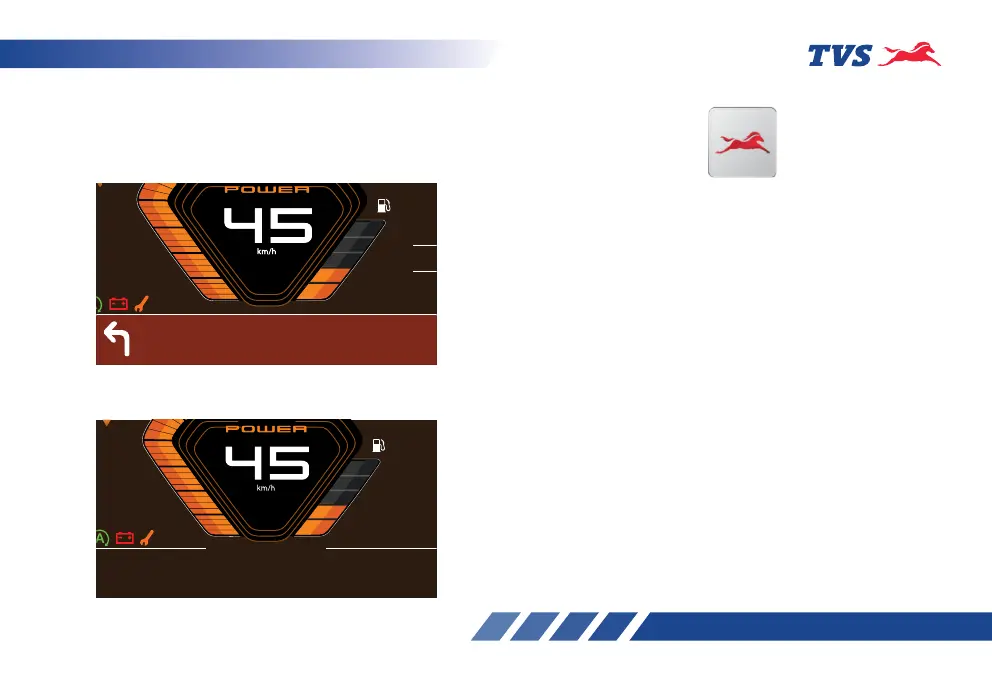
Once the destination is set in the app., the instrument
cluster displays the turn by turn navigation instruction
with a simple and elegant graphical representation
along with estimated time of arrival, remaining
distance etc.
950
m
02 hr
15 min
ETA:03:33 PM
00 45 km
AVG
85
1
0
3
2
4
E
F
2:45
PM
On reaching the destination, the instrument cluster
displays the arrival of destination as shown:
AVG
85
1
0
3
2
4
E
F
2:45 PM
Chruch street
MG Road
TVS CONNECT APP
Dedicated smart phone app is available in the Google
Play and the Apple store for your TVS Raider 125 and
it can be installed in your Android smart phones and
iPhones. To access the features of your TVS Raider
125’s connected instrument cluster like:
• Incoming call alerts in connected instrument
cluster.
• Incoming SMS alerts in connected instrument
cluster.
• Image transfer feature.
• Number of missed call alerts in connected
instrument cluster.
• Voice assist & smart talk.
• Battery status of your smart phone in connected
instrument cluster.
• To send auto reply SMS to the callers via smart
phone (applicable only for Android smart phones).
• ‘Do Not Disturb’ mode during the ride (applicable
only for Android smart phones).














 To Next Page