43
How to login
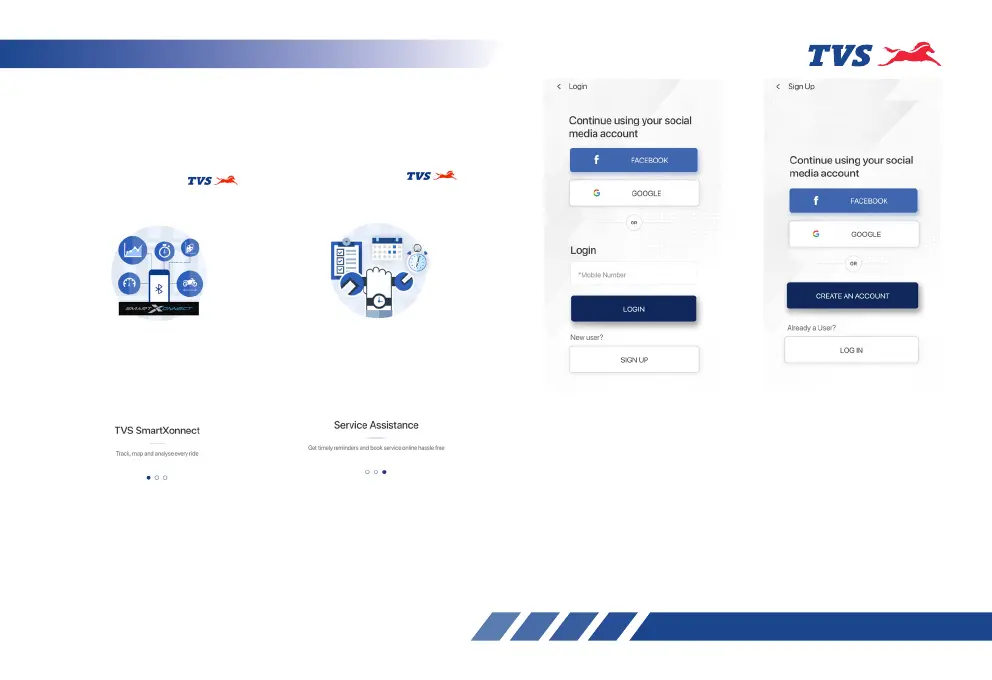
On opening the TVS CONNECT app the following
introductory screens will be displayed.
Move to the last screen where you will find the ‘SIGN
UP’ and ‘LOGIN’ tab. If you are having login already
then press login tab. A screen with various login
options opens-up as shown.
You can login using your social media logins like
FACEBOOK and GOOGLE or using your mobile
number which has been registered already.
If you are a new user then press the sign up tab
where you will find various options for registering
using your social media logins like FACEBOOK and
GOOGLE or a tab for creating new account.














 To Next Page