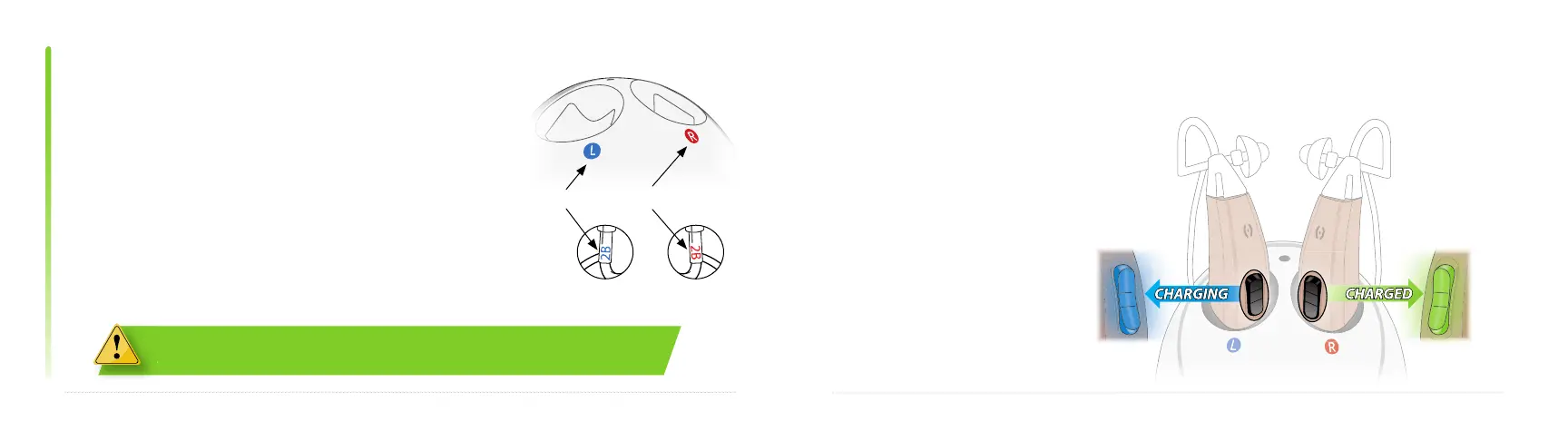
BLUE: Left
RED: Right
22
charging information
23
The charging base is marked with blue and red circles.
Place each instrument in the correct port. Match the
colored text on the sound tube with the correct port.
Fully charge Tweak Enhance before proceeding to
setup. The hearing aid battery will be fully charged in
about 3 hours. Leaving the device in the charging base
will not damage the battery. It will not overcharge.
charging information continued
Place the hearing aid in
the charging base. If the
hearing aid is on, it will
shut off automatically
when placed in the
charger. The rocker
switch will glow blue
while charging. When
fully charged, the rocker
switch will glow green.
The lithium polymer battery should not be removed by the user. The battery must
be replaced by the manufacturer. Call 1-888-815-3240 for assistance.
be replaced by the manufacturer. Call



 To Next Page